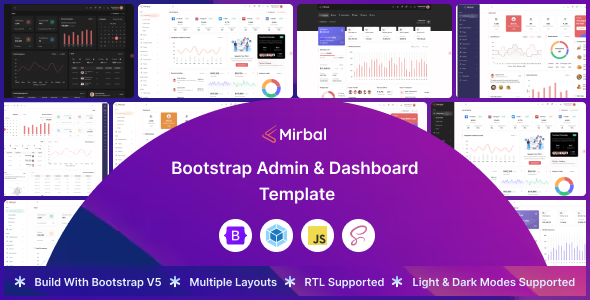
Mirbal Bootstrap admin dashboard template is a pre-built UI kit for quickly setting up admin interfaces and web application backends, primarily useful for developers and agencies needing to deploy internal tools or client dashboards efficiently.
Streamlining Admin Panel Development for Agencies
This template addresses the common challenge of spinning up admin interfaces quickly. For agencies or solo developers building client portals or internal tools, the initial setup of a dashboard, navigation, and basic components can eat up significant time. Mirbal provides a solid starting point, saving the repetitive work of setting up a responsive layout, core components, and styling from scratch. This means less time on boilerplate and more on actual application logic.
Evaluating Mirbal's Code Quality and Component Structure
From a technical standpoint, the template uses a standard Bootstrap foundation, which most front-end developers are familiar with. The SCSS architecture is organized logically, making it easier to locate and modify styles compared to some flat CSS files I've seen in market-average templates. The Webpack build process is a standard inclusion for modern front-end projects, ensuring efficient asset loading and bundling.
- The SCSS organization means easier theme customization and less time debugging style conflicts, translating to lower maintenance costs for the business owner.
- It includes multiple pre-built layouts and pages, which are practical for rapid prototyping and demonstrating functionality to clients, accelerating project timelines.
- RTL support is a thoughtful addition, broadening the potential audience for applications built with this template without extra development effort.
- The component library covers typical dashboard elements like charts, data tables, and forms, reducing the need to integrate external libraries for basic UI needs.
- Asset loading feels reasonably optimized; in our experience with similar frameworks, this directly impacts Core Web Vitals, contributing to a better user experience and potentially better SEO for the deployed application.
What Impresses in Mirbal's Admin Dashboard Template
What stands out is the focus on providing a complete, yet not overly opinionated, set of UI elements. The design is clean, avoiding the visual clutter often found in templates trying to do too much. The consistency across components is good, which is crucial for maintaining a coherent user experience in a complex application. It doesn't try to reinvent the wheel but executes standard patterns well. The inclusion of dark and light modes out of the box is also a practical feature for many users.
Ideal Users for Mirbal Bootstrap Admin UI Kits
This template is for front-end developers, agencies needing fast turnarounds on client admin portals, or startups building internal tools where a custom UI isn't the primary focus. It's particularly useful for projects that need a functional, presentable admin interface quickly. This is not for those needing deep custom backend logic tightly integrated with the UI or projects requiring a highly unique, bespoke design that deviates significantly from Bootstrap's aesthetic.
Understanding the Limitations of Pre-built Admin Templates
While solid, the mobile menu behavior feels standard; it's functional but doesn't offer much in terms of advanced gestures or animations. The overall aesthetic, while clean, is fairly generic. If you're looking for something that instantly distinguishes your application with a unique visual identity, you'll need to invest significant time in custom styling. The documentation is adequate but doesn't delve into advanced customization scenarios as much as some other products.
Final Thoughts: Is it worth it?
For developers or teams looking to accelerate the initial build phase of an admin panel or web application backend, Mirbal offers a pragmatic solution. It provides a well-structured, familiar foundation that saves significant development hours on UI setup and styling. Investing in this template is a logical step to reduce time-to-market for projects where a reliable, functional admin interface is needed without the overhead of building every component from scratch.
FAQ
How flexible is Mirbal for custom branding?Mirbal uses SCSS variables, making it straightforward to change primary colors, fonts, and other global styles to match specific branding requirements.
Does this template support different back-end frameworks?Yes, as a front-end Bootstrap template, Mirbal is framework-agnostic. You can integrate it with any back-end technology like Laravel, Node, Django, or ASP.NET by serving the static assets.
What is the learning curve for a developer new to Webpack or SCSS?If you're new to Webpack or SCSS, there will be a moderate learning curve to understand the build process and styling architecture. However, the structure is logical and well-documented for standard modifications.