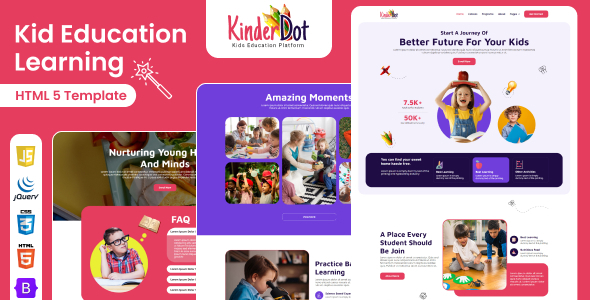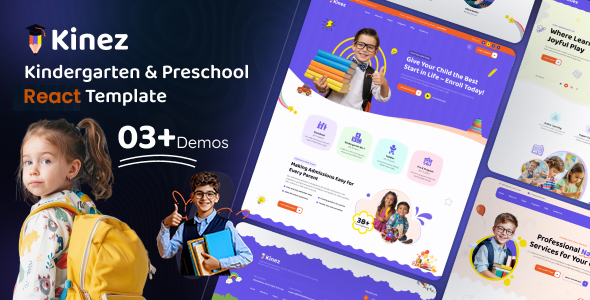
Kinez: A React.js template for kindergarten and school websites. Includes 3 home pages, 19+ pages, and Bootstrap 5. Good for quick launches and educational sites.
Kinez: A React.js Template for Educational Institutions
This is a React.js template specifically designed for kindergartens, schools, and childcare centers. If you're looking to get a website up quickly for an educational institution without diving deep into custom React development, Kinez offers a pre-built structure. It comes with several pre-designed home pages and a good number of inner pages, all built on the Bootstrap framework.
Who Should Consider Using Kinez?
Kinez is primarily for individuals or small agencies who need to launch a functional website for a kindergarten or school with minimal custom coding. This includes freelance web designers working with educational clients or small school administrators who need a presentable online presence. If your goal is to have a visually appealing site that covers the basics of an educational institution's website, like showcasing programs and facilities, this template can save you considerable setup time.
However, this template is not for those who need extensive custom backend functionality or a highly unique, bespoke design. If you're building a complex learning management system or require deep integration with custom databases, you'll likely outgrow Kinez quickly. It’s also not ideal for developers who prefer building their React applications from the ground up or those who need absolute control over every aspect of the frontend architecture.
Solving the Quick Educational Website Launch Problem
The main problem Kinez solves is the time investment required to build a standard educational website from scratch using React. Setting up a React project, configuring routing, and styling a responsive layout with components takes time. Kinez provides a pre-packaged solution with multiple home page variations and over 19 inner pages, meaning you can get a significant portion of your site built out of the box. This is particularly useful when clients need a website fast, and you want to avoid the overhead of building every element from the ground up.
For a niche like educational websites, where specific layouts for admissions, courses, or faculty are common, having these pre-built pages is a practical advantage. It streamlines the process of creating a conversion-ready funnel for prospective parents.
Design and Visual Approach
Kinez adopts a clean and modern design aesthetic, which is generally well-suited for educational institutions. The use of flat design principles and clear typography helps create a user-friendly interface. The template is built to be fully responsive, ensuring it looks good and functions correctly on various devices, from desktops to tablets and smartphones.
While the design is pleasant, it's important to note that it adheres to a fairly standard look for this type of template. If you're aiming for something extremely avant-garde or a highly distinctive visual identity, you'll need to invest additional time in customization.
Layouts, Pages, and Components
The template includes three distinct home page layouts, offering some variety to start with. Beyond that, there are over 19 additional pages, which likely cover common sections needed for a school or kindergarten website, such as about pages, contact, galleries, and program details. The inclusion of a full UI kit means you have access to pre-styled components that can be reused throughout your site, which is a standard but useful feature in theme development.
eCommerce or Business-Related Features
This template does not appear to have built-in eCommerce features. Its focus is purely on presenting an educational institution. If your kindergarten or school needs to sell merchandise or offer online course registrations with payment processing, you would need to integrate a separate eCommerce solution or build that functionality custom.
Code Quality and Developer Experience
Kinez is built with React and TypeScript, which are modern standards for frontend development. The template mentions clean and commented code, which is crucial for maintainability and for any developer who needs to make modifications. Being based on Bootstrap 5 means developers familiar with this framework will find it relatively easy to work with.
- The use of TypeScript is a plus for larger projects, offering better code predictability and reducing runtime errors.
- The code organization and asset loading feel fairly standard for a template of this nature. It's not overly complex, which is good for ease of use, but also means it might not have highly optimized custom loading strategies that a bespoke application might employ.
Responsiveness and Compatibility
The template is advertised as 100% fully responsive and touch-friendly. This means it should adapt well to different screen sizes and be easy to navigate on touch devices, which is essential for modern web design. Compatibility with all modern browsers, including IE 11, Firefox, Chrome, Opera, and Safari, is also stated, which is a standard expectation for themes.
SEO Readiness
The template claims to be SEO on-page optimized. This typically means it uses semantic HTML structure and includes appropriate meta tags. For a basic educational website, this foundation is usually sufficient. However, true SEO success depends heavily on content quality and ongoing optimization, which are outside the scope of a template.
A Realistic Take on Kinez
Kinez is a solid choice if your primary goal is to get a functional, decent-looking website for a kindergarten or school online quickly using React. It provides a good starting point with pre-built pages and a familiar framework. The main trade-off is that while it offers customization, it's built on a template structure. This means you're working within the boundaries of what's provided, which is typical for most themes.
One area where Kinez feels standard rather than exceptional is in its asset management. While it's functional, developers accustomed to advanced build tools or custom Webpack configurations might find the default setup a bit basic. However, for its intended audience, this simplicity is likely an advantage, making it easier to deploy and manage.
FAQ
Is Kinez suitable for building a custom learning management system?
No, Kinez is designed as a frontend template for informational websites and is not equipped to handle the complex backend logic required for a learning management system.
How easy is it to integrate custom fonts or icons with Kinez?
It should be relatively straightforward given it uses Bootstrap and React. You can typically add custom fonts via CSS and integrate new icon sets by following standard React and Bootstrap practices.
What level of coding knowledge is needed to customize Kinez?
A solid understanding of React.js, TypeScript, and Bootstrap is recommended for effective customization beyond basic content changes.