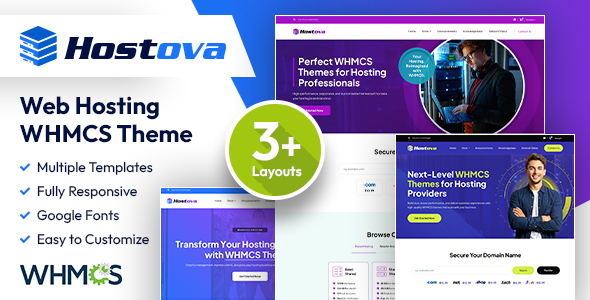
Hostova is a WHMCS hosting theme designed to provide a clean, functional client area interface for web hosting providers and related IT businesses. It's a solid choice for anyone looking to quickly deploy a professional WHMCS client area without extensive custom development.
Streamlining WHMCS Client Area Deployment for Hosting Businesses
Hostova solves the common challenge of quickly deploying a professional WHMCS client area. The default UI often feels dated, demanding significant styling. This theme offers a modern, pre-built layout, saving developers and agencies substantial hours on initial design. For hosting businesses, this means focusing on core operations, improving efficiency and cutting development costs.
Evaluating Hostova's Code Quality and User Experience
Technically, Hostova meets industry standards for a commercial theme. Its semantic structure supports SEO and accessibility. Asset loading is reasonably optimized, aiding Core Web Vitals and a smoother mobile experience. The file organization is straightforward for modifications, which helps reduce maintenance costs.
- CSS organization is component-based, reducing maintenance costs for future customisations.
- The mobile menu behavior is standard, ensuring a consistent user experience across devices.
- Layouts handle long service descriptions well, crucial for hosting providers detailing various plans.
Key Strengths: Hostova's Design and Deployment Efficiency
Hostova's strength is its clean aesthetic, avoiding typical WHMCS theme bloat. The design is modern yet conservative. Its responsive layout works across devices, a fundamental requirement. Installation is quick, allowing rapid deployment of a professional client area.
Who Benefits Most from the Hostova WHMCS Theme?
This theme suits small to medium web hosting companies or agencies building client areas. It's excellent for those needing a functional, appealing interface quickly. Avoid it for projects requiring highly bespoke WHMCS backend logic or unique, branded designs.
Hostova's Practical Limitations and Average Aspects
Hostova is solid but doesn't innovate in UI. Layout styles are functional variations, not groundbreaking. While global color options help, deeper SASS architecture for complex theming isn't a focus. Custom color or typography changes might need direct CSS overrides.
Final Thoughts: Is it worth it?
For any hosting provider or agency needing a polished, functional WHMCS client area without weeks of custom design, Hostova is a sensible investment. It provides a clean, responsive foundation that saves significant development time and justifies its cost.
FAQ
How difficult is it to update the theme when WHMCS releases a new version?Updating usually involves replacing theme files. If you've made direct modifications, you'll need to reapply those changes, which is standard for most WHMCS themes.
Can I easily integrate third-party WHMCS add-ons with this theme?Most well-coded WHMCS add-ons should integrate without major issues, as the theme follows standard templating. Highly custom frontend elements might require minor styling adjustments.
Does this theme impact my website's loading speed for clients?Hostova is built with lightweight code, contributing positively to loading speed. Clients should experience a fast, responsive interface, improving user experience.
Is the theme suitable for a multilingual WHMCS setup?Yes, it works with WHMCS's built-in language system. Text elements pull from your WHMCS language files, suitable for multilingual deployments.