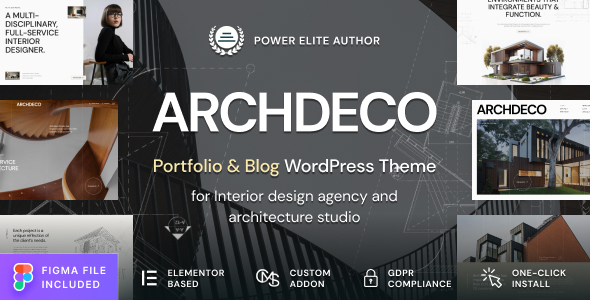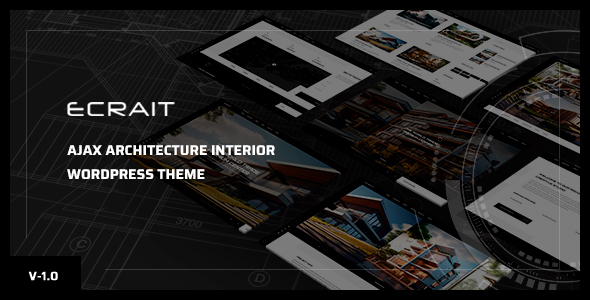
Ecrait is a WordPress theme designed for architects, interior designers, and photographers looking to showcase their portfolios. It leverages the Gutenberg editor for page building and offers pre-built layouts to speed up site creation.
Ecrait: A Gutenberg-Focused WordPress Theme for Visual Portfolios
This Ecrait theme is built for those who need to get a visually focused website online quickly, particularly for architecture, interior design, or photography portfolios. It's designed to work with WordPress's native Gutenberg editor, which means if you're already comfortable with block-based content creation, you'll find a familiar environment here. The core idea is to provide a solid foundation for presenting projects without requiring deep coding knowledge.
Who Should Use Ecrait and Who Should Look Elsewhere
If you're an agency or a freelancer who frequently builds portfolio sites for clients in the creative or architectural space, Ecrait can be a time-saver. Its pre-built demos and page structures mean you can get a client's site up and running much faster than starting from scratch or heavily customizing a generic theme. It’s also a good fit for individuals who want a professional-looking online presence for their work without getting bogged down in complex design or development.
However, if your project requires highly custom backend functionality, complex integrations beyond standard WordPress plugins, or a completely unique design that deviates significantly from typical portfolio layouts, Ecrait might not be the best choice. It’s built around a specific aesthetic and functionality set, and while it offers customization, trying to force it into a drastically different mold could become more work than it's worth.
Solving the Portfolio Presentation Headache
The main problem Ecrait aims to solve is the time and effort spent on styling and structuring portfolio content. Building a visually appealing gallery, project pages, and a cohesive site for creative professionals can be tedious. Ecrait provides multiple pre-designed project page layouts and home page styles, including options for parallax images, sliders, slideshows, and video backgrounds. This means you can import a demo and then focus on populating it with your client's actual work, significantly reducing the hours needed for initial setup and styling.
For example, setting up a clean, responsive gallery that looks good on all devices, or integrating a map for an office location, is handled by the theme's included blocks and features. This simplifies the process of creating conversion-ready funnels for potential clients to find and engage with the presented work.
Design and Visual Approach
Ecrait leans into a clean, minimal design aesthetic, which is appropriate for showcasing architectural and interior design projects. The focus is clearly on the visuals, with ample white space and typography that doesn't compete with the images. The inclusion of different home page styles allows for some variation in how a site is introduced, from subtle parallax effects to more dynamic video backgrounds. This approach is common and effective for portfolios, as it prioritizes clarity and impact.
Layouts, Pages, and Components
The theme comes with several pre-built home page styles and project page layouts. This means you aren't starting with a blank canvas for every new project. You get multiple options for how to present featured work, individual projects, and general content. The integration with Gutenberg means that many of these layouts are built using custom blocks provided by the theme, which makes for a more consistent editing experience within the WordPress dashboard.
- Multiple Home Page Styles: Parallax image, Slider, Slideshow, and Video options are available to make a strong first impression.
- Project Page Variations: Three distinct project page layouts and four pre-built single project layouts are included, allowing flexibility in showcasing case studies.
- Gutenberg Integration: Advanced blocks and the Visualize Drop & Drag editor work within the native WordPress editor for easier page construction.
eCommerce or Business-Related Features
While the primary focus is on portfolios, Ecrait does mention compatibility with Contact Form 7, which is standard for handling client inquiries. It also includes WooCommerce support, meaning you could potentially sell services or digital products if needed. However, it's important to note that the theme's core strength isn't in complex eCommerce setups; it's more about presenting services and projects.
Code Quality and Developer Experience
The theme is built on the Bootstrap framework, which is a widely recognized standard for responsive web development. This means the underlying structure is familiar to many developers. It includes a child theme, which is crucial for making customizations without directly editing the parent theme files, ensuring updates don't overwrite your work. The documentation is available, and the theme aims for easy customization through its theme options and Gutenberg blocks.
In our experience with similar frameworks, the organization of CSS and JavaScript assets is key for site performance and maintainability. While not explicitly detailed, the use of a framework like Bootstrap and the inclusion of a child theme suggest a structured approach. The practical benefit for a business owner is that the site is less likely to break during updates and can be more efficiently maintained over time.
Responsiveness and Compatibility
Ecrait is designed to be fully responsive, meaning it should adapt well to different screen sizes, from desktops to mobile phones. This is a standard requirement for modern websites and essential for ensuring a good user experience across all devices. The theme also mentions cross-browser compatibility, which is important for reaching the widest possible audience without display issues.
SEO Readiness
The theme uses a clean semantic structure, which is a good baseline for SEO. While the theme itself doesn't guarantee high rankings, a clean code structure and semantic HTML are fundamental for search engines to understand your content. It also includes Google Fonts and Font Awesome icons, and the way these are loaded can impact Core Web Vitals. The inclusion of a child theme also helps maintain SEO-friendly code during updates.
Final Thoughts on Ecrait for Portfolio Websites
Ecrait offers a practical path to creating professional-looking portfolio websites for creative professionals. It excels at reducing the initial setup time, especially if you're comfortable with the Gutenberg editor. The pre-built layouts and focus on visual presentation mean you can get a site live faster, allowing you to concentrate on your client's work rather than the intricacies of web design. It's a solid choice for agencies and freelancers needing to build multiple portfolio sites efficiently.
FAQ
Is Ecrait suitable for beginners with no coding experience?Yes, if you are comfortable with the WordPress Gutenberg editor, Ecrait is designed to be quite manageable for beginners, especially with its pre-built layouts and theme options.
Can I use Ecrait for an agency website that needs more than just a portfolio?While Ecrait is primarily a portfolio theme, its compatibility with Contact Form 7 and WooCommerce means you can integrate basic business functionalities. However, for complex agency sites with extensive service pages or advanced features, you might need to supplement it with additional plugins.
How does the theme handle custom styling beyond the provided options?The theme includes a child theme, which is the standard and recommended way to implement custom CSS and PHP modifications without losing them during theme updates. This provides a good level of flexibility for developers.