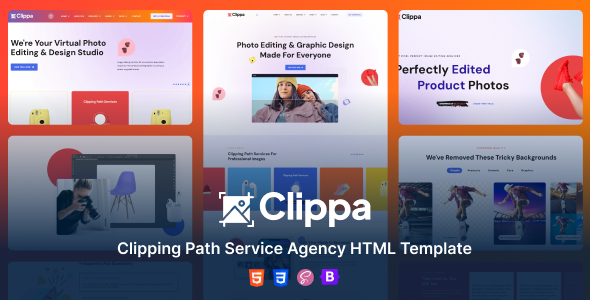
Clippa is a clean HTML template built on Bootstrap for clipping path, photo retouching, and service-based agencies. It offers 6 homepages and a solid foundation for quick client site launches.
Clippa: An HTML Template for Image Service Agencies
This template, Clippa, provides a solid HTML, CSS, and JavaScript foundation specifically for businesses offering clipping path, image masking, or photo retouching services. It's also adaptable for other general service agencies looking for a clean, professional front-end. The core idea here is to give you a pre-built structure to kickstart a new client site quickly.
Who Benefits from the Clippa HTML Template?
This template is ideal for freelance developers or agencies who need to launch a dedicated clipping path service HTML template or an image retouching website template on a tight deadline. If your workflow involves delivering static HTML sites or you plan to integrate the front-end into a custom CMS, this provides a head start.
However, if you're a non-developer looking for a drag-and-drop solution without touching code, or if you need complex backend functionality out of the box, this isn't your product. It's a front-end kit, meaning you'll need to handle any dynamic content or database integrations yourself.
Clippa's Layouts and Core Components
Clippa includes six distinct homepage layouts, which is decent for an HTML template. This gives you options right away without having to design from scratch. You get the standard pages you'd expect for a service business: about us, services, contact, and presumably a few portfolio or gallery pages.
The components are built on Bootstrap, so you'll find familiar elements like navigation bars, carousels, forms, and buttons. This consistency is a real time-saver when you're assembling pages, as you don't have to reinvent common UI elements.
Code Structure and Developer Experience with Clippa
From a developer's perspective, the template is built on Bootstrap, a common and generally well-understood framework. The mention of SASS architecture is a good sign; it means the CSS should be organized and easier to modify than raw, monolithic CSS files. This translates to lower maintenance costs and quicker styling changes for clients.
The files are noted as "well commented," which is crucial for team collaboration or when revisiting a project months later. Documentation is also included, which helps navigate the structure and setup. This is standard practice but always appreciated.
- The HTML5 validation and semantic structure contribute positively to search engine optimization and accessibility.
- Bootstrap's responsiveness is a given, ensuring the layout adapts across various devices.
The asset loading generally feels quick due to its static HTML nature, which is a positive for Core Web Vitals if images are optimized.
Clippa's Foundation for Search Engine Optimization
The template claims to be "SEO optimized," which for an HTML template primarily means clean, valid HTML5 and a semantic structure. This provides a good baseline for search engines to crawl and understand your content. It uses Google Fonts, which can be loaded efficiently to avoid performance penalties.
While an HTML template can't do the heavy lifting of a CMS for dynamic SEO, it provides a solid technical foundation. Your on-page content, meta descriptions, and image alt text will be the main drivers for an HTML service agency layout to rank well.
Final Thoughts on the Clippa HTML Template
For agencies or freelancers needing a fast, clean front-end for image-focused service businesses, Clippa offers a practical starting point. It's not groundbreaking, but it delivers on its promise of a well-structured HTML template using common technologies. The inclusion of SASS and well-commented files means it's relatively easy to pick up and customize if you have front-end skills.
The working PHP contact form is a nice addition, saving you a small setup step, though you'll still need to configure the server-side email sending. Just remember, this is a front-end kit; any dynamic features beyond the contact form will require custom development or integration into a CMS. It genuinely saves development hours on initial setup and styling, making it a smart investment for quick project turnarounds.
FAQ
Is this template suitable for a complete beginner?This template requires a basic understanding of HTML, CSS, and JavaScript to customize effectively. It's not a no-code solution.
Can I easily convert Clippa to a WordPress theme?Converting an HTML template to a functional WordPress theme is a significant development task, requiring knowledge of WordPress theme structure and PHP. It's not a simple one-click process.
How does Clippa handle image optimization for performance?Clippa provides the structure, but you are responsible for optimizing your images (compression, proper sizing, modern formats) before adding them to the template to ensure good loading speed.
What if I need more than six home page variations?You would need to combine elements from the existing pages or custom-build new sections using the Bootstrap framework and existing styles as a guide.