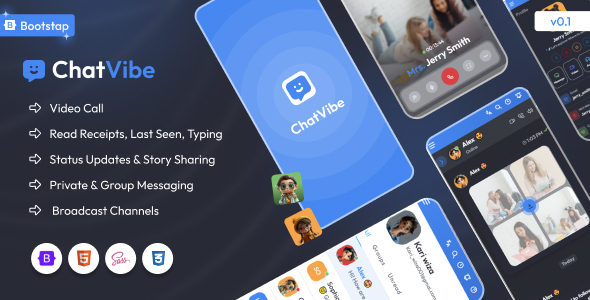
Chatvibe Bootstrap chat application HTML template offers a practical frontend base for anyone needing to integrate a chat interface into a larger web project or build a standalone messaging MVP.
Evaluating Chatvibe as a Frontend Chat UI Kit for Web Developers
This template addresses a common workflow problem: building a responsive, feature-rich chat interface from scratch. For a web developer, styling message bubbles, user lists, and input areas, then ensuring they work across devices, can consume significant time. Chatvibe provides a ready-made structure, saving dozens of hours on initial UI setup and allowing focus on backend integration or unique application logic. It's a smart investment for projects where a polished chat frontend is required quickly.
Technical Standards and Key Features for Responsive Chat Interface Templates
The code quality here is generally solid. Using Bootstrap as its foundation means you get a predictable grid system and component styling that many developers are already familiar with. The SCSS architecture is fairly standard, making it straightforward to override variables for branding or adjust component styles without fighting specificity issues. Asset loading feels reasonably optimized for a template of this kind, which helps with initial page load times and contributes positively to Core Web Vitals. The semantic HTML structure is clean, which is good for search engine optimization and basic accessibility practices.
- The SCSS organization makes it easy to find and modify styles, which is crucial for lower maintenance costs over time.
- Mobile responsiveness is well-handled, with the chat list and conversation views transitioning smoothly on smaller screens, ensuring a good user experience.
- The inclusion of dark mode and RTL support out of the box means less development time spent implementing these common requirements.
- The AI Chatbot Page is a static layout, providing a visual starting point for a chatbot interface, which is useful for demonstrating concepts.
- Authentication pages and a 404 error page are included, offering standard boilerplate content that's often needed in web applications.
Strengths and What Impresses in a Bootstrap Chat Application HTML Template
What impresses most is the focus on the core chat experience. Unlike many templates that try to be everything, Chatvibe keeps its primary purpose clear. The modern chat screens are well-designed and feel intuitive, providing a good user experience from the start. The inclusion of an emoji picker and file attachment UI components means less time spent sourcing and integrating these common chat functionalities. After building multiple agency sites with tools like this, having these specific components pre-built is a significant advantage.
Who is This Frontend Chat UI Kit For?
This template is ideal for agencies, startups, or individual developers who need to quickly prototype or build the frontend for a web-based chat application, a customer support portal, or an internal team communication tool. It's particularly useful for those integrating a chat UI into a larger SaaS product or a custom backend system. This is not for projects needing a complete, ready-to-deploy chat backend solution or deep custom animations beyond what Bootstrap typically offers.
Limitations of This Chat Application Template
One thing that feels average is the inclusion of generic pages like the blog and pricing pages. While useful as placeholders, they don't offer the same level of specific design and functionality as the core chat components. They serve their purpose but might require more customization to fit a unique brand voice compared to the dedicated chat UI. The "AI Chatbot Page" is a visual layout, not an integrated AI solution, which is standard for HTML templates but worth noting for clarity.
Final Thoughts: Is it worth it?
If you're building any kind of web application that requires a robust, responsive chat interface, Chatvibe is a solid choice. It provides a well-structured, modern frontend that will save you considerable development time and effort. Investing in this template means you can get a functional and attractive chat UI up and running much faster, allowing you to focus resources on your application's unique backend logic or features.
FAQ
Does Chatvibe include a working chat backend?
No, Chatvibe is an HTML template providing only the frontend user interface. You will need to integrate your own backend logic and API for actual message sending and receiving.
Can I easily change the color scheme to match my brand?
Yes, since the template uses SCSS, you can easily modify the primary color variables to update the entire theme's color scheme to match your branding.
How does this template handle different user roles in a chat?
The template provides UI elements for displaying different message types and user profiles. You would implement the logic for distinguishing and displaying different user roles through your backend integration.
Is the template designed for single-page application (SPA) frameworks?
Chatvibe is a static HTML template. While you can integrate its components into an SPA framework like React or Vue, it doesn't come pre-built as a component library for those frameworks.