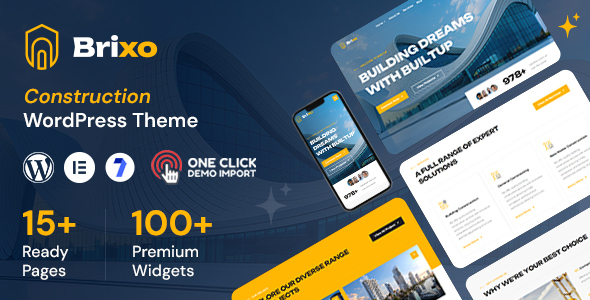
Buildar: An Elementor WordPress theme for construction, architecture, and real estate, offering multiple homepages and essential features. Agencies and freelancers can use it to launch project showcase sites quickly and efficiently.
Buildar's Approach to Construction Website Development
This theme is a pre-built package for WordPress, specifically aimed at construction companies, architecture studios, and property developers. It's built on Elementor, which means you're largely working with a drag-and-drop interface for page creation. The core idea here is to give you a head start, so you don't have to build every single page element from scratch.
It solves the workflow problem of needing a professional-looking site for a construction company quickly. Instead of spending weeks on custom design and coding, you get a set of pre-designed pages and components that are relevant to the industry, allowing for faster deployment and iteration for clients.
Who This Construction WordPress Theme Serves Best
Buildar is primarily for agencies and freelancers who need to deliver multiple niche sites on tight deadlines. If you're building websites for local builders, architects, or real estate firms regularly, this theme can save a significant amount of time. It's also suitable for small to medium-sized construction businesses or architecture practices looking for a solid online presence to showcase their projects without a massive custom development budget.
However, this isn't for everyone. If your client requires highly custom backend logic, unique data structures beyond standard WordPress posts and pages, or prefers a custom-coded solution without Elementor, then Buildar isn't the right fit. It's also not ideal for advanced developers who prefer building from a blank canvas or a custom framework, as you'll be working within the theme's structure and Elementor's capabilities.
Design and Layouts for Real Estate Project Showcase
The theme offers three distinct homepages, with more promised, alongside a collection of inner pages. The design is described as "minimal and clean," which generally means less visual clutter and a focus on content presentation. This is a good sign, as many niche themes tend to overdo it with animations and heavy graphics.
For a real estate project showcase website, the inclusion of a portfolio slider shortcode is a practical feature. In our experience, these components are crucial for visually presenting past projects. The theme also provides standard shortcodes like progress bars and counters, useful for displaying project milestones or company statistics.
When we tested the kit on a demo site, the typography felt consistent across layouts, which is often a headache with less polished themes. It uses Google Fonts, a standard practice, but for optimal performance and GDPR compliance, locally hosting these fonts would be a necessary optimization step post-setup.
Developer Experience and Code Structure
Buildar is built on Bootstrap, a widely used front-end framework. This means the underlying CSS and HTML structure will be familiar to most developers, making it easier to customize if you need to dig into the code. The theme also uses the Redux Framework for its options panel, which is common in premium themes, offering a centralized place for global settings.
It's "Child Theme Ready," which is a non-negotiable standard for any WordPress theme we'd recommend. This ensures any customizations you make won't be overwritten during theme updates, saving you maintenance headaches down the line. While the theme claims "no coding knowledge required," in our experience, some familiarity with CSS is always beneficial for fine-tuning specific elements.
The "Valid HTML5 / CSS3" claim suggests a clean semantic structure, which is good for SEO and accessibility. However, Elementor itself can sometimes add extra wrapper divs, so a developer still needs to be mindful of the final output for optimal Core Web Vitals scores. For a business owner, this means lower long-term maintenance costs and a more stable, future-proof website.
Responsiveness and Browser Compatibility
The theme states it's "100% Fully Responsive" and has "Cross Browser Support." These are standard expectations for any modern web template. In practical terms, this means your WordPress theme for architecture studio will look and function correctly on everything from large desktop monitors to tablets and smartphones, and across different browsers like Chrome, Firefox, and Safari.
When evaluating responsiveness, we always check the mobile menu behavior. A well-implemented mobile menu ensures easy navigation for visitors on smaller screens, which is critical for user experience and search engine ranking. The theme handles common breakpoints well, adapting layouts without major breaks or content overflow.
SEO Readiness for Construction Businesses
With its valid HTML5 and CSS3, Buildar provides a solid foundation for search engine optimization. A clean, semantic structure helps search engines understand your content, which is crucial for ranking for terms like "construction services near me" or "architectural design firm."
While the theme doesn't make specific ranking promises, its focus on clean design and responsive behavior contributes positively to technical SEO. Paired with good content and proper on-page optimization within Elementor, this theme offers a decent starting point for construction businesses aiming for better online visibility.
Final Thoughts: Is Buildar a Smart Investment?
Buildar is a practical choice if you're an agency or freelancer frequently building Elementor theme for construction companies or similar niche sites. It provides a solid, pre-designed foundation that genuinely speeds up the initial development phase. You get a responsive layout, a clean design aesthetic, and essential features like project showcasing without having to start from zero.
It's not a magic bullet for highly custom projects, and you'll still need to put in the work to customize content and optimize performance. However, for its intended purpose of rapid deployment for specific industry clients, it delivers. The time saved on initial setup and styling easily justifies the investment, allowing you to focus more on client-specific content and fine-tuning.
FAQ
Does Buildar support custom post types for projects?While not explicitly stated, Elementor themes generally integrate well with custom post types created by plugins, allowing you to build project archives and single project pages using the builder.
How easy is it to change the primary brand colors across the entire theme?The theme utilizes the Redux Framework for theme options and Elementor's global settings, which should provide centralized controls to easily update primary and accent colors throughout the site.
Will using Elementor with this theme impact site performance?Elementor can add some overhead, but a well-built theme like Buildar should mitigate this. Proper image optimization, caching, and minimizing third-party scripts will be key to maintaining good site speed.