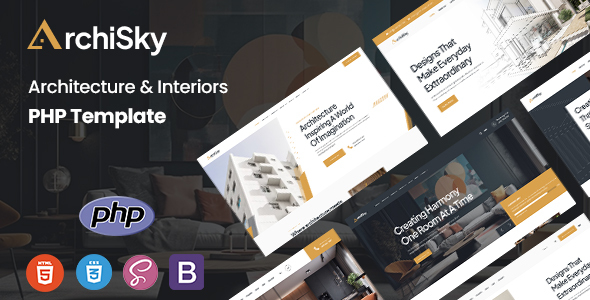
Archisky Architecture & Interiors PHP Template is a front-end development kit designed for design agencies and freelancers who need to quickly launch portfolio or service showcase websites.
Solving Rapid Deployment for Architecture Portfolio Websites
The core problem this template addresses is the initial setup time for architecture portfolio websites or interior design studio sites. Instead of building common sections like hero banners, project galleries, or service listings from scratch, Archisky provides pre-built components. This means agencies can save significant development hours, potentially cutting down initial styling and layout work by 15-20 hours on a typical project. For a client needing a quick online presence to showcase their latest projects, this is a smart investment to accelerate delivery without sacrificing a structured front-end.
Evaluating the Codebase and Core Features
From a technical standpoint, Archisky is a standard PHP template, meaning it uses PHP primarily for includes to assemble pages from common headers, footers, and sections. It's not a full-blown PHP application framework, which is fine for its intended purpose. Built on Bootstrap, the structure is familiar, making it relatively easy for any developer with Bootstrap experience to navigate. The inclusion of SCSS files is a plus, allowing for organized styling modifications without digging through compiled CSS, which translates to lower maintenance costs and faster updates for business owners.
- The PHP structure relies on basic includes, which is straightforward for static content sites but not for complex backend logic. This keeps things simple for content updates.
- Its Bootstrap foundation provides a solid, responsive grid system, ensuring a consistent look and good mobile experience across various devices.
- SCSS organization means modifying colors, fonts, or component styles is more efficient than with a monolithic CSS file, leading to easier future customization.
- Asset loading for images and scripts feels standard for a template of this type. While not hyper-optimized out-of-the-box, it lays a decent foundation for good Core Web Vitals with proper image optimization post-purchase.
- The mobile menu behavior is standard for Bootstrap, providing a functional and expected user experience on smaller screens.
- The semantic HTML structure is clean enough for basic SEO, helping search engines understand the page content and potentially improving visibility for services like "interior design firm websites."
What Archisky Does Well for Design Studios
What impresses most about Archisky is its focus on the visual needs of architecture and interior design firms. The multiple index page demos offer distinct starting points, which is helpful for quickly matching a client's aesthetic. The inclusion of components like project showcases, team sections, and client testimonials are directly relevant to the niche. The bundled Revolution Slider and Menuzord megamenu, while third-party, do save the hassle of sourcing and integrating these common features, which is a tangible benefit for a quick turnaround project.
Ideal Use Cases for Archisky Template
This template is ideal for freelance developers or small agencies building multiple client websites in the architecture, interior design, or construction sectors who prioritize rapid deployment and a polished front-end. It's for projects where the primary goal is to present a portfolio and services effectively. It is not for those needing deep custom backend logic, complex data integrations, or a full content management system out of the box.
Areas Where Archisky Feels Standard
While functional, the overall design, being Bootstrap-based, can feel somewhat generic without significant customization. The included third-party scripts, while convenient, can sometimes add a bit of bloat compared to a lean, custom-built solution, potentially requiring some cleanup for optimal performance. Also, the PHP functionality is limited to includes; if you need more dynamic content or a custom admin area, you'll be building that on top of this template, which isn't a limitation of the template itself but an expectation to manage.
Final Thoughts: Is it worth it?
After building multiple agency sites with tools like this, Archisky is a solid contender for specific use cases. If you're an agency or freelancer looking to quickly deliver a visually appealing, responsive website for an architecture or interior design client, this template provides a strong head start. It saves significant time on initial layout and component creation, allowing you to focus on content and client-specific styling, making it a logical choice to save time and money on appropriate projects.
FAQ
Is Archisky suitable for a large architecture firm with custom database needs?No, Archisky is a front-end template primarily for showcasing content. It does not include a backend or database integration for complex firm operations.
How easy is it to update the visual design and colors?Thanks to its SCSS architecture and Bootstrap foundation, updating colors and general styling is relatively straightforward for a developer familiar with CSS preprocessors.
Does this template support modern image formats for faster loading?The template itself doesn't enforce specific image formats, but its structure allows you to integrate modern formats like WebP or AVIF by simply using them in your content, which is crucial for performance.
What is the learning curve for someone new to PHP templates?If you're comfortable with HTML, CSS, and Bootstrap, the PHP aspect is limited to basic `include()` statements, which is a low learning curve for assembling pages.