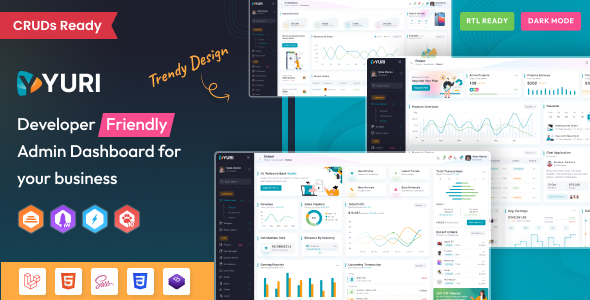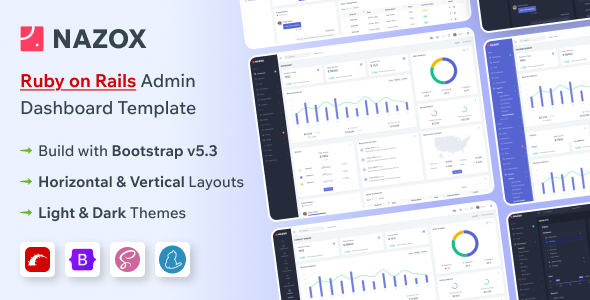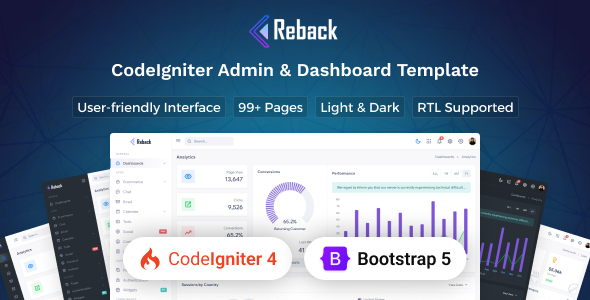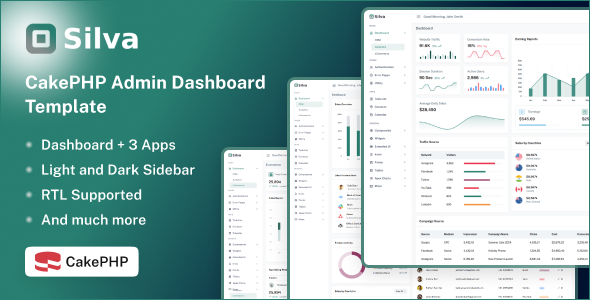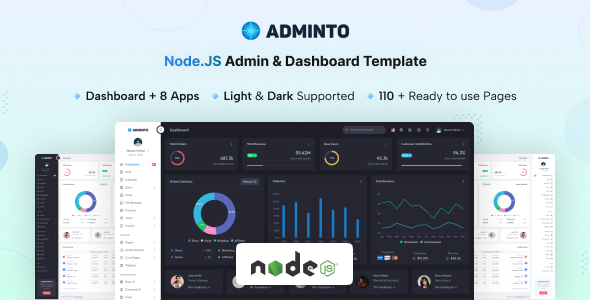
Adminto Node.js is a Bootstrap 5 admin dashboard template for backend applications, providing pre-built UI components to accelerate development. Ideal for agencies and freelancers building custom web application interfaces.
Adminto Node.js: A Solid Foundation for Backend UI
This Adminto Node.js admin dashboard template is essentially a comprehensive UI kit built on Bootstrap 5. It's designed to give developers a significant head start when building the front-end interface for web applications. Think of it as a well-stocked toolbox for your admin panel design, offering a wide array of pre-styled elements and functional app layouts.
It solves the common problem of starting from scratch with user interfaces for internal tools, SaaS dashboards, or any application requiring a robust admin panel. Instead of spending weeks on layout, component styling, and basic app pages, you get a ready-made structure that you can integrate with your own backend logic.
Who Adminto Node.js Serves Best (and Who Should Look Elsewhere)
This template is a strong candidate for web agencies and freelance developers who need to deliver custom web application interfaces quickly. If your workflow involves creating numerous client portals, project management dashboards, or custom CRM interfaces, Adminto can save substantial development time.
It's also suitable for in-house development teams building internal tools where a consistent, functional UI is more important than a bespoke, highly branded aesthetic from day one. Developers familiar with Bootstrap and SCSS will find it straightforward to work with.
However, this is not a full-stack solution. If you're looking for an integrated backend with database logic or a complete Node.js application framework out of the box, this template isn't it. It provides the visual layer; you still need to connect it to your own APIs and data sources. It's also not for someone who wants to avoid code entirely or expects a drag-and-drop website builder experience.
Design Language and Customization Options
The design of Adminto is clean and functional, adhering to Bootstrap's conventions. It features both light and dark modes, which is a standard expectation for modern dashboards and a good accessibility practice. The visual approach prioritizes clarity and usability, which is critical for an admin panel where users need to process information efficiently.
Customization is handled through SCSS variables, making it relatively easy to adjust branding elements like colors, fonts, and spacing globally. This structured approach to styling means less time digging through CSS and more time focused on application logic, which translates to lower maintenance costs down the line for business owners.
Pre-Built Applications and UI Components
Adminto shines with its extensive collection of pre-built UI components and application pages. This isn't just a collection of buttons and forms; it includes fully laid out pages for common backend functionalities.
- Core UI Elements: It covers all standard Bootstrap components, plus additional elements like advanced datatables, toast notifications, range sliders, and file upload interfaces.
- Charts and Data Visualization: The inclusion of Apex Charts with 30+ chart types is a significant time-saver for any SaaS dashboard development. This means less effort integrating and styling a separate charting library.
- Ready-to-Use Apps: The template comes with complete page sets for Calendar, Chat, File Manager, Users Management, Projects, Invoice Management, Email, and Task Management (Kanban Board & Details Page). These pre-built modules address common workflow problems, drastically reducing the initial setup time for critical business features.
- Utility Pages: Standard pages like login, registration, error pages, FAQ, pricing, and a timeline are all included, covering most of the ancillary pages a typical web application needs.
Business-Centric Tools and Workflow Support
The strength of Adminto lies in its focus on practical business applications. The pre-built Users Management, Projects, and Invoice Management pages directly support typical backend operations. For a business owner, this means the development team can quickly deliver functional areas that manage customer data, track project progress, and handle billing, without starting from scratch on the UI. This significantly reduces time-to-market for new features or entire applications.
The Task Management section, with its Kanban board and detail pages, is particularly useful for internal team tools or client project portals, providing a ready-made interface for tracking work. This kind of structured content also supports clean semantic HTML, which can indirectly benefit overall site health and search engine visibility for any public-facing parts of the application.
Under the Hood: Code Structure and Maintainability
After building multiple agency sites with tools like this, the first thing we look at is the code organization. Adminto uses SCSS for styling, which is a standard and maintainable approach. The use of variables and partials means that changes are localized and easier to manage. This structured CSS architecture is a big plus for long-term project viability and team collaboration.
The "Node.js" part of this template primarily refers to its development environment and build process. It leverages Node.js for tasks like compiling SCSS, bundling JavaScript assets, and running a local development server. This is a common and efficient way to manage front-end assets, ensuring that your final output is optimized for performance. While it doesn't provide a Node.js backend for your application logic, it sets up a modern, efficient front-end workflow.
Adapting Across Devices and Browsers
Being built on Bootstrap 5, Adminto inherently provides a responsive design. This means the layout adjusts automatically to different screen sizes, from large desktops to mobile phones, without extra effort. In our experience with similar frameworks, Bootstrap's grid system handles most device and browser compatibility concerns effectively, ensuring a consistent user experience regardless of how someone accesses the admin panel.
This responsiveness is crucial for any modern web application, allowing administrators and users to manage tasks on the go. For a business owner, it translates to better mobile experience for their teams, leading to increased productivity and fewer support issues related to device compatibility.
Technical SEO Considerations for Backend Panels
While an admin dashboard isn't typically optimized for public search engines, the underlying code quality still matters. Adminto's reliance on Bootstrap and semantic HTML contributes to a clean document structure. This is good practice for accessibility and maintainability, even if the pages are behind a login. A well-structured HTML document also helps ensure that if any part of the application were to become public, it would start with a solid foundation for search engine crawlers.
The template's asset loading, managed through its Node.js build process, can be optimized to ensure reasonable initial page load times, which positively impacts Core Web Vitals. This is important for user experience, especially in data-heavy applications.
Is Adminto Node.js the Right Fit for Your Next Project?
If you're a developer or agency needing to quickly spin up a functional, well-structured, and comprehensive admin dashboard UI, Adminto Node.js is a smart investment. It significantly reduces the boilerplate work involved in setting up common backend interfaces, allowing you to focus on the unique business logic of your application. The pre-built app pages for user management, projects, and invoicing are particularly strong value propositions.
While the "Node.js" in the name might suggest a full backend framework, understanding that it refers to the front-end build process clarifies its role. It's a robust UI kit that provides a strong foundation, saving you considerable time and effort compared to building these components from scratch. For its intended purpose, it delivers solid value and helps streamline development workflows.
FAQ
Does this template include a backend database or API?No, Adminto Node.js is a front-end UI template. It provides the visual interface and structure, but you need to integrate your own backend database and API to handle data and application logic.
How easy is it to customize the overall design and branding?Customizing the design is relatively straightforward using SCSS variables. You can easily change colors, fonts, and other global styles to match your branding without digging deep into individual component CSS.
Is this suitable for a large-scale enterprise application?Yes, the modular structure and Bootstrap foundation make it suitable as a UI base for large-scale applications. However, you will need to build out your specific enterprise-level backend logic and integrate it with the template's front end.
What is the "Node.js" part of this template actually for?The Node.js aspect primarily manages the front-end development workflow, including compiling SCSS, bundling JavaScript assets, and running a local development server for the template itself. It's not a full Node.js backend application framework.