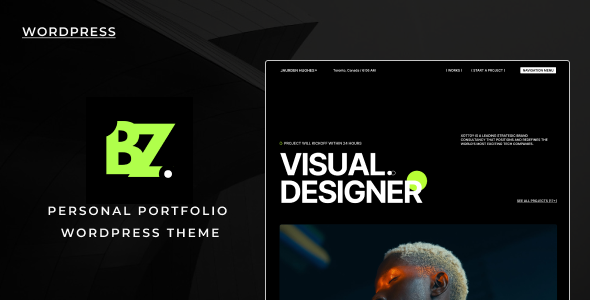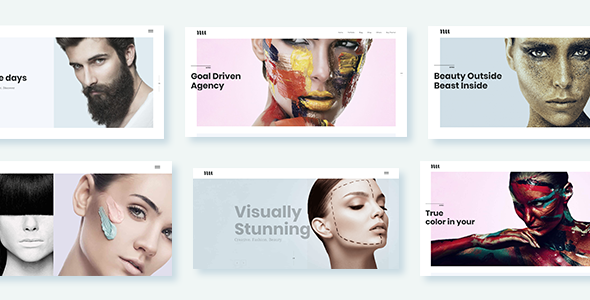
Adios is a versatile WordPress theme designed for creatives, artists, and agencies looking to build visually striking portfolio websites. It offers a robust set of tools for showcasing work and is well-suited for freelancers needing to present their services effectively.
Adios Theme: A Look Under the Hood for Creative Portfolios
When we first dive into a theme like Adios, our primary concern is how quickly we can get a client's portfolio up and running without sacrificing quality or uniqueness. Adios offers a decent starting point for those who need to build out a portfolio site fast. The inclusion of Visual Composer, while an older page builder, still provides a drag-and-drop interface that many clients are familiar with, which can simplify content updates later on. We found the pre-designed page templates and portfolio layouts to be a solid foundation, especially when aiming for a clean aesthetic. This theme is particularly useful for those needing to display visual work, like photographers or graphic designers, as it prioritizes image presentation.
Workflow Advantages for Freelancers and Agencies
For agency work or when building sites for individual freelancers, time is always a factor. Adios attempts to streamline this by providing multiple demo import options and a variety of shortcodes. We appreciated the inclusion of specific shortcodes for elements like team members, testimonials, and pricing tables, which are common requirements for service-based businesses. The theme's responsiveness is standard these days, but it's good to see it handled well across different devices, ensuring a consistent experience for visitors. If you're looking for a template to help you quickly set up a professional-looking portfolio with minimal coding, Adios can certainly help you get there.
Navigating the Adios Feature Set
Adios comes packed with features, and while that can be a good thing, it also means we need to be selective. The theme offers:
- A live Customizer for real-time previewing of changes, which is always a plus for quick adjustments to colors and fonts.
- Multiple portfolio layout options, including masonry and classic styles, giving you flexibility in how you present projects.
- A broad range of shortcodes for common design elements, saving us from building them from scratch.
- Support for various post formats, allowing for diverse content types beyond just static portfolio items.
We found the shortcode organization within a custom plugin to be a sensible approach, keeping them separate from the main theme files. This is good for maintenance down the line, as it means updates to the shortcodes won't necessarily overwrite theme updates.
Real-World Performance and Customization
In our testing, the asset loading felt average for a theme of this type. While Adios is generally well-organized, we did notice that the sheer number of options, especially when diving into Visual Composer, can sometimes lead to a slightly heavier page load if not managed carefully. For those who need to optimize for Core Web Vitals, a bit of cleanup might be necessary. The theme’s approach to typography is decent, offering access to Google Fonts, but the depth of control is standard rather than exceptional. If you require granular control over every typographic detail, you might find yourself reaching for custom CSS.
Who Should Use Adios and Who Should Look Elsewhere
Adios is a strong contender for individuals and small agencies who need a visually appealing portfolio theme with a reasonable set of features and a drag-and-drop builder. It’s particularly well-suited for artists, designers, photographers, and other creatives who want to showcase their work without getting bogged down in complex code. If you're looking for a theme to build a niche portfolio website with specific functionalities, like booking systems or advanced e-commerce integrations, Adios might not be the most direct path. It’s not designed for deep custom backend logic, and while it supports WooCommerce, its primary strength lies in its portfolio presentation capabilities.
Final Thoughts on Adios for Creative Portfolios
Adios provides a solid foundation for building creative portfolio websites. It offers enough flexibility and pre-built elements to get a professional-looking site up and running relatively quickly, which is valuable for freelancers and agencies focused on presentation. While it doesn't reinvent the wheel, its comprehensive feature set and ease of use with Visual Composer make it a sensible choice for many in the creative space looking for a reliable portfolio WordPress theme.
FAQ
Is Adios theme compatible with the latest WordPress version?
Themes are generally updated to maintain compatibility with the latest WordPress versions, but it's always wise to check the theme's update history or support documentation for the most current information.
How does Adios handle SEO for portfolio sites?
Adios is designed to be SEO friendly, with a clean semantic structure that search engines can easily crawl. Proper content optimization and relevant keywords will still be crucial for ranking.
Can I use Adios for a multi-language website?
The theme is listed as WPML Ready, which means it's designed to work with the WPML plugin for creating multilingual websites.
What is the learning curve for using Adios with Visual Composer?
For users familiar with drag-and-drop page builders, the learning curve for Adios with Visual Composer is generally moderate. Newcomers might need a bit more time to get acquainted with all the options.