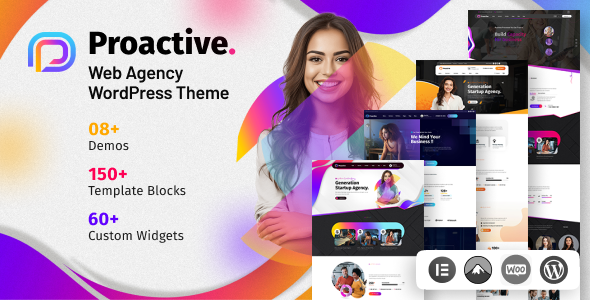
Proactive is a one-page WordPress theme designed for agencies and businesses needing a quick, polished online presence. It offers pre-built demos and Elementor integration for faster site launches.
Proactive: A Multipurpose One-Page WordPress Theme for Agencies
Alright, let's talk about Proactive. This is a WordPress theme that aims to get you a professional-looking one-page website up and running fast. It's built with Elementor, which is pretty standard these days for themes targeting ease of use. You get a bunch of pre-built demos and inner pages, plus some bundled plugins that save you a bit of cash if you were going to buy them separately.
Who Should Actually Use Proactive?
This theme is best suited for freelancers, small agencies, or businesses that need a straightforward online brochure or landing page. If you're looking to launch a portfolio site for a digital agency, a marketing firm, or a similar service-based business and want to avoid spending days on custom styling, Proactive could be a good fit. It's also good for those who are comfortable with Elementor and want a solid starting point. If you need to build an ecommerce website template with extensive product catalogs, this isn't your primary tool, though it does have WooCommerce readiness.
However, if you require deep custom backend logic, a highly unique user experience that goes beyond drag-and-drop widgets, or if you're a developer who prefers building from scratch with a lightweight framework, you'll likely find Proactive too opinionated. It's not for agencies that need to build highly complex, bespoke client portals or sites with intricate custom post type integrations without a lot of rework.
Solving the "Need a Site Yesterday" Problem
The main problem Proactive solves is the time sink involved in building a decent-looking website from the ground up, especially for common business niches like digital agencies. The one-click demo import feature, when it works smoothly, can save you easily 10-20 hours of initial setup and styling. For those needing to get a lead-generation focused website online quickly, the included templates and Elementor widgets provide a functional structure without requiring you to reinvent the wheel for basic sections like service listings, testimonials, or contact forms. It handles the common needs of an HVAC service layout or a general business site with pre-designed elements.
Design and Visual Approach
The design of Proactive leans towards a clean, modern aesthetic that's typical for agency themes. It uses a color palette that's generally pleasing and easy to adapt. The inclusion of parallax and video backgrounds adds a bit of visual flair, which can be effective if used sparingly. While it offers unlimited color options, the default styling feels professional enough that you might not need to change much, which is often the point of these themes.
Layouts, Pages, and Components
You get a decent number of pre-built pages and layouts, which is the core value proposition here. The theme boasts over 30 inner pages and 8 pre-built demos (both one-page and multipage options). This variety means you're likely to find a layout that closely matches your needs, reducing the amount of page building you'll have to do. The inclusion of over 50 Elementor elements means you have a good toolkit for customizing existing pages or building new ones, offering flexibility within the Elementor ecosystem.
eCommerce and Business Features
Proactive is WooCommerce ready, which is a significant plus if you anticipate needing to sell products or services directly from your site. It includes features like product wishlists, quick view, and compare functionality, which are standard but useful additions for an online store. The inclusion of the Booked plugin also caters to businesses that require appointment scheduling, like consultants or service providers. This integration saves you the hassle of finding and configuring a separate booking plugin.
Code Quality and Developer Experience
From a developer's perspective, themes like Proactive are a mixed bag. The use of Elementor means much of the heavy lifting is done visually, which is great for rapid development but can sometimes lead to bloated code. The theme options panel is generally well-organized, allowing for global changes without diving into code. It also includes a child theme, which is a crucial best practice for making modifications without losing them on theme updates. The asset loading feels fairly standard for a theme of this type; it's not the absolute lightest, but it's not egregious either, aiming for a balance between features and performance.
Responsiveness and Compatibility
The theme is designed to be responsive, meaning it should adapt well to different screen sizes, from desktops to mobile phones. The sticky menu and sticky mobile header are practical features that improve navigation on smaller devices. Compatibility with major browsers is generally expected and usually holds true for well-supported themes like this. It also offers RTL language support, which is important for reaching a wider audience.
SEO Readiness
Proactive follows standard semantic accessibility practices and uses clean HTML structure, which is beneficial for SEO. It's built to be compatible with SEO plugins like Yoast or Rank Math, allowing you to fine-tune your meta descriptions and keywords. The theme's structure is generally clean, avoiding excessive divs that can sometimes clutter the DOM, which is good for search engine crawlers. It's ready for building conversion-ready funnels with its landing page focus.
Why Proactive Might Be Your Next Smart Investment
If your primary goal is to launch a professional-looking website quickly without extensive coding, Proactive offers a solid foundation. It bundles useful plugins and provides a wealth of pre-designed elements and layouts that significantly cut down development time. For agencies and businesses that need to establish an online presence efficiently, the time and potential cost savings make it a worthwhile consideration. It’s a practical choice for those who value speed and a polished look out-of-the-box.
FAQ
Is Proactive suitable for building a complex, multi-location business website?While Proactive can handle multiple pages, its core strength is in one-page or simpler multipage structures. For complex, multi-location sites with extensive custom requirements, you might find yourself doing more customization than is ideal.
How does the one-click demo installation handle existing content?The one-click demo installation typically imports demo content into a fresh WordPress installation or can overwrite existing content. It's always recommended to perform this on a staging or new site to avoid data loss.
What is the learning curve for customizing Proactive with Elementor?If you're familiar with Elementor, the learning curve is very low. For beginners, Elementor itself has a slight learning curve, but Proactive provides ample pre-built sections and elements to minimize the need for deep customization.
Can Proactive handle a high volume of traffic efficiently?Proactive's performance depends heavily on server resources, hosting, and the number of plugins installed. While it's built with standard practices, optimizing it for extremely high traffic might require additional performance tuning beyond the theme itself.