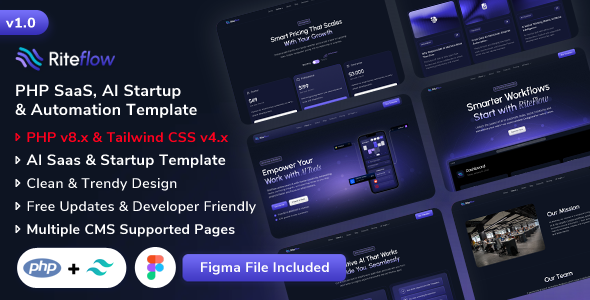
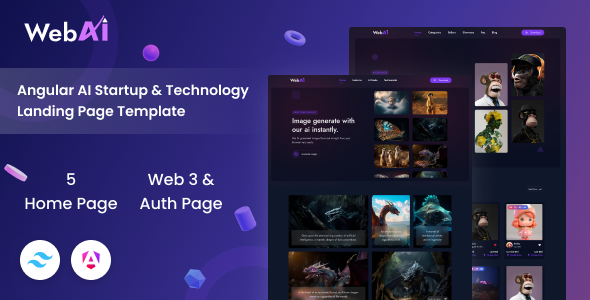
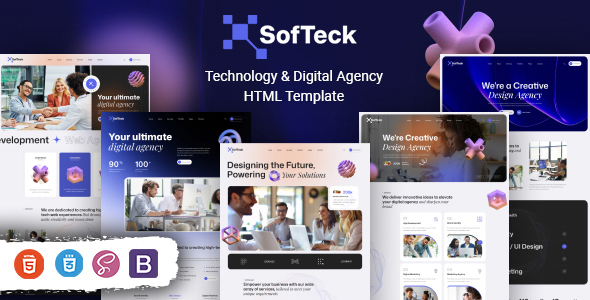
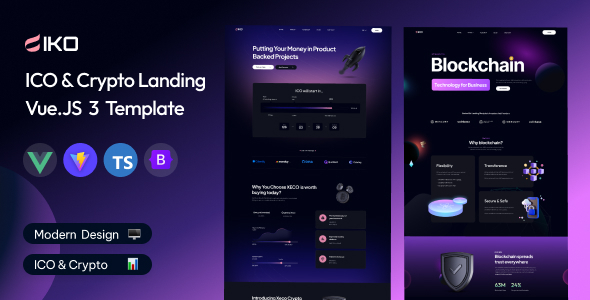
Opzio is an HTML template for SaaS, AI, and tech startups that need a clean, modern website. It’s for developers and agencies looking to quickly build a professional online presence for tech-focused businesses.
Opzio HTML Template: A Solid Foundation for Tech Startups
If you're building a website for a SaaS, AI, or any tech-related startup, Opzio is a decent starting point. It provides a set of pre-designed HTML pages and sections that cover the essentials: homepages, about pages, service showcases, and even blog layouts. When you’re under pressure to launch a new product or service, having these building blocks ready can save a significant amount of time on basic page structure and initial styling.
In our experience building multiple agency sites with similar templates, Opzio offers a clean aesthetic that aligns with what most tech companies are after. It’s not reinventing the wheel, but it does a good job of presenting common SaaS and AI features in an organized way. You get multiple homepage variations, which is helpful for A/B testing different initial impressions, and a good number of inner pages to flesh out the site.
Who Should Use Opzio and Who Should Look Elsewhere
This template is best suited for developers or agencies who need to get a professional-looking website up and running quickly for a tech client. If your client needs a straightforward presentation of their software, AI capabilities, or services without complex custom backend integrations, Opzio will serve you well. It’s also a good fit if you’re comfortable with basic HTML and CSS customization and want to avoid starting entirely from scratch.
However, if you’re working on a project that requires deep custom functionality, a unique backend architecture, or a highly specialized user interface that deviates significantly from standard web patterns, this template might not be the best choice. It’s an HTML template, meaning it’s primarily for the front-end presentation. You'll still need to build out any dynamic features or integrations yourself.
Solving the "Blank Page" Problem for Tech Websites
The main problem Opzio solves is the dreaded blank page. Instead of spending hours on basic layout, typography, and color schemes, you can jump straight into content and customization. For instance, if a client needs to quickly showcase their pricing tiers or list their key features with accompanying icons, Opzio has pre-built sections for that. This can easily save 10-15 hours on initial setup for a standard brochure-style website.
The template uses Bootstrap, a widely adopted framework. This means if you’re familiar with Bootstrap, you’ll find your way around the code structure relatively easily. It also implies a certain level of responsiveness and compatibility that you can generally rely on, which is crucial for ensuring your site looks good on various devices.
Layouts, Pages, and Components Included
Opzio comes with a good selection of pre-designed pages. You get multiple homepage layouts, which is a plus for variety, along with standard pages like About Us, Services, and Contact. The inclusion of various blog page styles is also a common requirement for content marketing efforts, so that’s a practical inclusion.
- Multiple homepage layouts for initial impressions.
- Standard inner pages like About, Services, and Contact.
- Different blog page layouts for content presentation.
- Sections for showcasing features, pricing, and testimonials.
The components are generally well-organized, following typical Bootstrap conventions. This makes it easier to swap out sections or modify existing ones without breaking the overall layout. When you're working on a tight deadline, having these pre-built elements is invaluable.
Code Quality and Developer Experience
From a developer’s perspective, Opzio is a standard HTML template. The CSS is organized in a way that’s typical for these kinds of templates, with a main stylesheet that you’ll likely be modifying extensively. It uses Bootstrap v4.6.2, which is a mature and well-supported version. The code is generally clean and follows semantic HTML practices, which is good for SEO and accessibility.
One minor point is that while it mentions "unlimited color schemes," this essentially means you'll be digging into the CSS to change color variables. This is standard practice, but it’s not a magical one-click solution. The inclusion of wow.js for on-load animations is a common feature in many templates; it’s functional but can sometimes impact page load times if overused. For a production site, you might want to review and optimize these animations.
Responsiveness and Compatibility
The template is built with Bootstrap, which inherently provides a good degree of responsiveness. We tested the layouts on various screen sizes, and they generally adapt well. Mobile menus are functional, and content scales appropriately. Compatibility with modern browsers is also a given with Bootstrap, so you shouldn't run into significant cross-browser issues for the core presentation.
SEO Readiness
The use of semantic HTML and a clean structure means Opzio is off to a good start for SEO. The template itself doesn't include any backend SEO plugins or advanced configurations, as it's a static HTML product. However, the foundation is solid, making it easier to implement on-page SEO best practices once you add your content. It avoids common pitfalls like excessive use of div elements for layout purposes.
Final Thoughts on Opzio for Your Next Project
Opzio is a practical choice for developers and agencies looking for a solid HTML foundation for SaaS, AI, and tech startup websites. It offers a good set of pre-designed pages and components that can significantly speed up the initial development phase. While it’s not a revolutionary product, it reliably delivers on its promise of providing a professional starting point. If you need to build a clean, conversion-focused website for a tech business without spending excessive time on basic design, Opzio is a sensible investment.
FAQ
Is Opzio suitable for non-technical users to edit?No, Opzio is an HTML template. While basic text and color changes are possible with a text editor, significant modifications require HTML and CSS knowledge.
Can Opzio be used for an e-commerce site?This template is designed for informational and lead generation websites for tech companies, not for e-commerce functionality.
Does Opzio include a content management system?Opzio is a static HTML template and does not include a CMS. You will need to integrate it with a CMS like WordPress or a custom backend if you require dynamic content management.
How does Opzio handle form submissions?The template includes HTML structure for forms, but you will need to implement a server-side script or a third-party service to handle the actual form submission process.