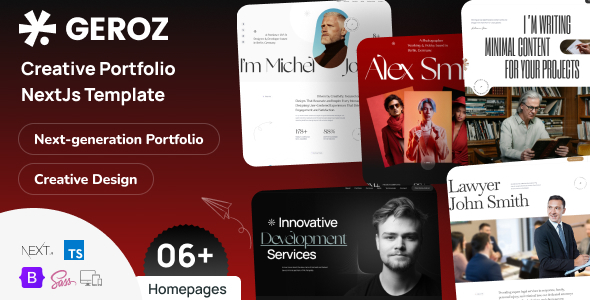
Ashley is a React Next.js template paired with Payload CMS, designed for creative agencies and portfolios. It offers a backend for content management and a frontend built with modern web tech for fast, deployable sites.
Ashley: A Next.js & Payload CMS Template for Creative Portfolios
Ashley is a React Next.js template that comes bundled with Payload CMS, making it a more complete package than your average frontend-only theme. If you're building a portfolio site for a creative agency, a web design shop, or even a personal artist's showcase, this setup aims to give you a solid foundation. It's built with modern JavaScript technologies, which means it's geared towards performance and deployability on platforms like Vercel.
The core idea here is to separate content management from the frontend presentation. Payload CMS acts as your headless backend, allowing you to manage your projects, blog posts, services, and general site settings. This separation is a big deal for maintainability and scalability. You get a functional admin dashboard that's fully customizable and can be self-hosted, which is a plus if you want full control over your data.
When it comes to building out pages, Ashley uses a block-based layout builder within Payload. This means you can construct pages, project details, and other content sections using pre-built widgets and sections. This approach is common in modern JAMstack setups and makes it easier for non-developers to update content without touching code. The template includes over 30 such blocks, covering things like testimonials, pricing plans, team members, and various portfolio layouts.
Who Should Use Ashley and Who Should Avoid It
This template is a good fit for agencies and freelancers who need to launch a professional-looking portfolio or small business website quickly. If you're comfortable with React and Next.js, or have a developer who is, you'll find it easier to customize and extend. The inclusion of Payload CMS means you're getting a robust content management system out of the box, which saves a lot of time compared to building one from scratch or integrating a separate CMS.
However, Ashley is probably not the best choice if you're looking for a simple WordPress theme or a basic HTML template. The learning curve for Next.js and Payload CMS, while not extreme, is steeper than traditional platforms. If your project requires deep custom backend logic beyond content management, or if you're entirely new to JavaScript frameworks, you might find the setup more involved than you anticipate. It's also not ideal for those who want a drag-and-drop builder experience without any code knowledge whatsoever, as customization still requires some technical understanding.
Solving Workflow Headaches for Creative Professionals
The main workflow problem Ashley solves is the time and effort required to set up a performant, content-managed website for creative businesses. Instead of spending days or weeks styling a portfolio grid, setting up project pages, and integrating a CMS, you get a pre-built structure. The block-based system for content creation, managed through Payload, significantly speeds up the process of populating and updating your site. This is especially valuable when you need to launch an ecommerce website template or a portfolio site quickly for a client.
The integration of Payload CMS is a key selling point. Having a dedicated backend for managing your projects, services, and blog posts means you can easily organize and present your work. Features like version history, drafts, and scheduled publishing within Payload are standard for serious content management systems and are often missing in simpler templates. This ensures your content workflow is efficient and reliable.
Layouts, Pages, and Component Variety
Ashley comes with a decent selection of pre-built pages and components. You get over 20 pages driven by the CMS, including essential ones like a 404 page and various inner page layouts. The portfolio section is well-developed, offering different grid and listing options, along with multiple layouts for single project pages. Similarly, services have their own listing and detail pages.
The template also includes specific blocks for common agency needs, such as team member sections, pricing plans, and testimonials. This variety means you're less likely to need custom component development for standard website elements, further accelerating the build process. The inclusion of dark and light theme modes is also a nice touch for offering users choice.
eCommerce and Business-Ready Features
While Ashley is primarily a portfolio and agency template, it includes features that make it adaptable for businesses. The Forms Builder within Payload CMS is a significant asset, allowing you to create and manage contact forms, subscription forms, and more directly from the admin panel. It's ready for production deployment and includes integrations like MailChimp for newsletters. For a niche like building an HVAC service layout, having easily manageable forms and service pages is crucial for lead generation.
The template also supports GraphQL, REST, and local APIs, which provides flexibility for future integrations or custom functionalities. This makes it a solid base for conversion-ready funnels if you plan to expand the site's business capabilities later on.
Code Quality and Developer Experience
From a developer's perspective, Ashley is built with modern technologies like Next.js (App Router), React, and TypeScript. The code is described as well-commented and easily customizable, which is essential for any template you plan to adapt. It avoids jQuery, relying instead on native JavaScript and libraries like GSAP for animations and Swiper for sliders. This cleaner approach generally leads to better performance and easier maintenance.
- The SCSS files are included, allowing for more organized and maintainable CSS.
- The use of Bootstrap grid provides a familiar layout structure for many developers.
- The template is designed for JAMstack deployment, often on platforms like Vercel, which simplifies the hosting and deployment process.
In our experience with similar frameworks, having clear code organization and good documentation, as indicated here, significantly reduces the time spent on development and debugging. The ability to self-host Payload CMS also offers a level of control that is often missing in SaaS-based CMS solutions.
Responsiveness and Compatibility
Ashley is designed to be responsive and retina-ready, meaning it should adapt well to various screen sizes and display crisply on high-resolution displays. This is a standard expectation for modern web templates, but it's good to see it explicitly stated. The template is also built on the Bootstrap grid, which inherently supports responsive design principles.
Cross-browser compatibility is also mentioned, which is important for ensuring a consistent user experience across different web browsers. This reduces the likelihood of users encountering display issues regardless of their browser choice.
SEO Readiness and Structure
The template includes an SEO plugin within Payload CMS, which is a practical feature. This allows you to manage SEO metadata like titles, descriptions, and keywords directly from the admin panel for each page and post. This makes it easier to optimize your content for search engines without needing to delve into code for every meta tag update.
The code structure is described as clean and W3C valid, which are good indicators for search engine crawlers. A clean semantic structure is fundamental for SEO, and this template appears to adhere to those standards. The focus on fast loading speeds, a key component of Core Web Vitals, is also a significant advantage for SEO performance.
A Practical Investment for Creative Projects
Ashley offers a compelling package for anyone needing a content-managed portfolio or agency website built with modern web technologies. The combination of Next.js and Payload CMS provides a powerful and flexible foundation that can save considerable development time. While it requires some technical familiarity, the benefits in terms of performance, maintainability, and content management capabilities make it a smart investment for professionals and agencies looking to establish a strong online presence.
FAQ
Is Ashley suitable for beginners with no coding experience?No, while the CMS makes content updates easier, customizing the template and setting up the development environment requires some familiarity with React, Next.js, and Node.js.
Can I host Payload CMS on any server?Yes, Payload CMS is designed to be self-hosted and works with MongoDB, making it compatible with most hosting environments, including cloud platforms and VPS.
How easy is it to integrate custom features or plugins?Given that it's built with Next.js and TypeScript, integrating custom features is generally straightforward for developers familiar with the ecosystem. Payload CMS also has its own plugin system.
What kind of support can I expect if I run into issues?The template offers regular updates and 24/7 support, along with detailed documentation, which is standard for premium themes and helpful for troubleshooting.