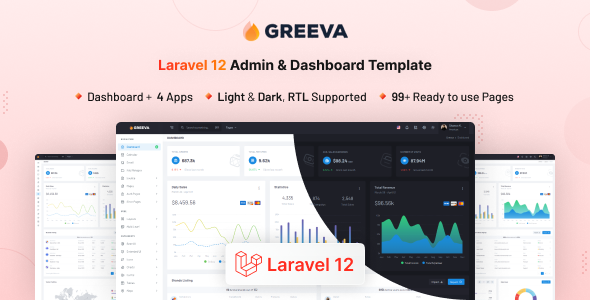
Alloce is a Bootstrap admin dashboard UI kit for developers building SaaS platforms, CRMs, and analytics tools. It offers over 200 pages and multiple demos for rapid development.
Alloce: A Bootstrap Admin UI Kit for Faster Backend Development
Alloce is a UI kit built on Bootstrap, designed to give developers a head start on building admin panels and backend interfaces. It comes with a lot of pre-built pages and several demo layouts, which can save a significant amount of time when you’re setting up the basic structure for a new project like a custom CRM or an internal tool.
The core idea here is that instead of building every form, table, and card from scratch, you get a solid foundation. This is particularly useful for projects that need a functional backend quickly, like internal dashboards for businesses or the administrative side of a SaaS product. It uses Vite for build processes, which means faster compilation times during development, a nice perk for keeping things moving.
Who is Alloce For, and Who Should Look Elsewhere?
This kit is best suited for developers and agencies who need to build admin interfaces efficiently. If you’re working on a project that requires a standard admin panel, dashboards for data visualization, or the backend for a CRM, Alloce can definitely speed things up. It’s also a good option if you're building a complex internal application for a business and want a consistent look and feel across many different sections.
However, if your project demands a highly unique, bespoke frontend experience or deep, custom backend logic that goes far beyond standard CRUD operations, this might not be the best fit. It’s a UI kit, not a full-stack framework, so it won't solve complex application architecture problems on its own. Developers who prefer to build their own component library from the ground up will also find less value here.
Solving the Repetitive Task of Styling Admin Interfaces
The main problem Alloce solves is the sheer amount of repetitive work involved in styling common administrative elements. Think about setting up user tables, profile pages, settings forms, and various dashboard widgets. These are tasks you do on almost every backend project. Alloce provides these components, styled and ready to go.
For instance, setting up a functional user management section with search and pagination typically takes hours of coding and styling. With Alloce, you can likely adapt one of its existing pages, saving you a good chunk of development time. This allows you to focus more on the unique features of your application rather than the boilerplate UI.
Layouts, Pages, and Components Included
Alloce packs a substantial number of pre-built pages and components. The claim of over 200 pages covers a wide range of typical admin functionalities. You’ll find sections for:
- Dashboards: Multiple variations for different data display needs.
- User Management: Lists, details, and editing forms for users.
- Authentication: Login, registration, and password reset pages.
- Settings: General, profile, and application settings interfaces.
- Utility Pages: Error pages, blank pages, and other supporting layouts.
The inclusion of multiple demo layouts means you can choose a starting point that aligns with your aesthetic preferences or client requirements, and then customize from there. This flexibility is key for avoiding that "template-y" look that some kits suffer from.
eCommerce and Business-Related Features
While not explicitly an eCommerce theme, Alloce includes pages that can be adapted for business applications. If you're building a CRM, an order management system, or a backend for a small online store, the included pages for data tables, forms, and user profiles are highly relevant. The structure supports building conversion-ready funnels by providing the necessary backend interfaces.
The kit also mentions multi-language support, which is a standard but important feature for any global application. This means the structure is in place to accommodate translations, making it easier to manage internationalization down the line without significant rework.
Code Quality and Developer Experience
The developers emphasize a developer-friendly architecture and clean code. Built with SCSS, it allows for easier theming and customization of styles. Using Vite for the build process is a modern approach that leads to faster development server startup and build times, which is a tangible benefit for developers.
- SCSS Architecture: This means styles are organized logically, making it easier to find and modify specific CSS rules without breaking the entire layout. For a business owner, this translates to lower maintenance costs over time.
- Vite Build Tool: Faster compile times mean developers spend less time waiting for their code to process and more time coding, leading to quicker project delivery.
- Vanilla JavaScript: This avoids adding unnecessary framework overhead, keeping the codebase lighter and potentially easier to understand for developers not tied to a specific JS framework.
The documentation is available, which is crucial for understanding how to best utilize and customize the kit. In our experience with similar frameworks, good documentation can save hours of guesswork.
Responsiveness and Compatibility
The kit is built with Bootstrap 5 and claims mobile-first responsiveness. This means the layouts are designed to adapt well across different screen sizes, from large desktops down to mobile phones. This is essential for any modern web application, ensuring a good user experience for all users, regardless of their device.
The underlying Bootstrap grid system is well-understood in the industry, so developers familiar with it will find it easy to work with. Testing on various devices showed that the mobile menu behaves as expected and layouts generally hold up well under different screen constraints.
SEO Readiness
As an admin dashboard, the primary focus isn't on public-facing SEO. However, the underlying HTML structure appears to follow semantic accessibility practices. This means the code is organized logically, which can indirectly benefit search engines in understanding the content if parts of the admin interface are ever indexed or if the structure is reused for public-facing elements.
The use of standard HTML and Bootstrap means the structure is generally clean and well-formed, which is a good baseline for any web development project aiming for good technical SEO foundations.
A Solid Foundation for Admin Work
Alloce is a practical choice for anyone needing to build admin interfaces quickly. It provides a comprehensive set of pre-built pages and components that cover most common requirements for SaaS platforms, CRMs, and internal tools. While it's not a magic bullet for every complex backend challenge, it significantly reduces the time spent on repetitive UI tasks, making it a smart investment for agencies and development teams looking to boost their efficiency.
FAQ
What kind of technical support can I expect with Alloce?
The product description mentions well-documented setup guides, and typically, ThemeForest items come with author support for a set period, which you'd need to check on the marketplace page.
How easy is it to integrate Alloce with a specific backend framework like Laravel or React?
Alloce is built with vanilla JavaScript, HTML, and SCSS, making it framework-agnostic. Integration will involve using its HTML/CSS structure within your chosen framework's templating or component system.
Can I use Alloce for a project that requires a high degree of custom styling beyond what Bootstrap offers?
Yes, because it's built with SCSS and uses Bootstrap, you have a good foundation for customization. You can override styles or extend the existing SCSS variables to achieve a unique look.