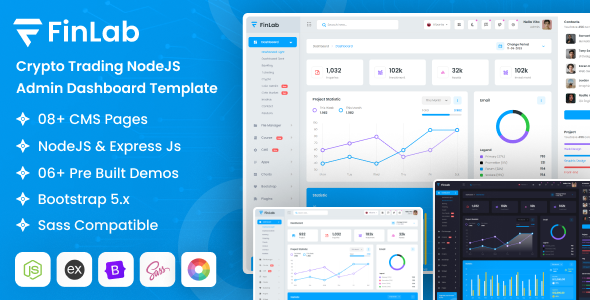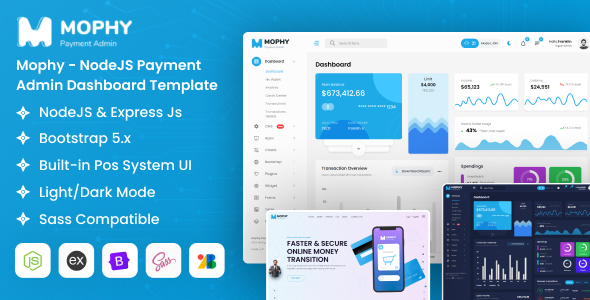
Mophy is a Node.js admin dashboard template built with EJS and Bootstrap. It's designed for developers who need a pre-built structure for backend applications, offering a starting point for data management interfaces.
Mophy: A Node.js Admin Dashboard Template for Backend Development
Let's cut to the chase. Mophy is a Node.js admin template. If you're building a backend application and want to avoid spending hours on the basic UI for your admin panel, this is where it comes in. It's essentially a set of pre-made HTML, CSS, and JavaScript files, along with some EJS templating, that gives you a functional dashboard structure right out of the box. Think of it as a head start for your project's administrative side.
This isn't a WordPress theme or a no-code solution. It's for developers who are comfortable working with server-side code, specifically Node.js, and need a solid foundation for their admin interface. If you're looking to build a custom backend for a web application, an e-commerce platform, or any project that requires a robust data management area, Mophy can save you significant development time on the frontend styling and layout.
Who Should Use Mophy and Who Should Skip It
This template is a good fit for individual developers or small teams working on Node.js projects who need to quickly implement an admin dashboard. If you're tasked with building a system for managing users, orders, content, or any kind of data, and you want to get a functional interface up and running without reinventing the wheel for basic UI elements, Mophy is worth considering. It’s particularly useful if you're building a custom e-commerce website template backend or an internal tool.
However, if you're a designer looking for a drag-and-drop website builder, or if your project doesn't involve a Node.js backend, this template is not for you. It’s also not ideal for those who need highly specialized or completely unique backend functionalities that require extensive custom JavaScript or server-side logic beyond what a standard dashboard would offer. If you're aiming for a completely bespoke frontend experience for your users, you might find the template structure a bit restrictive, although it does offer customization options.
Solving the Backend UI Development Bottleneck
The primary problem Mophy solves is the time sink involved in building a standard admin dashboard from scratch. Developers often spend a considerable amount of time on repetitive tasks like setting up navigation, creating data tables, designing forms, and ensuring responsiveness across different devices. Mophy provides a pre-built set of components and layouts that address these common needs.
For instance, setting up a functional data table with sorting, filtering, and pagination can be tedious. Mophy includes examples of these, saving you the effort of integrating and styling libraries like DataTables. This allows you to focus more on the core logic of your application and less on the presentation layer of your administrative interface. It’s a practical way to get a conversion-ready admin panel structure faster.
Code Quality and Developer Experience
From what we've seen in similar templates, Mophy uses Bootstrap, which is a widely adopted framework. This means the CSS is organized in a way that's generally understandable, and you'll find common utility classes. The inclusion of Sass files is a plus, allowing for easier theming and customization if you're familiar with Sass architecture. The EJS files provide a templating structure that’s common in Node.js environments, making it straightforward to integrate dynamic content.
The template comes with various chart libraries like Chart.js and Apexcharts, which are standard for data visualization in dashboards. The asset loading feels typical for a template of this kind, relying on bundled JavaScript and CSS files. While it provides documentation, in our experience with these types of templates, you'll still want to dive into the code to understand how things are put together, especially for deeper customizations. It adheres to standard accessibility practices for the most part, which is good for maintainability.
Responsiveness and Browser Compatibility
Mophy is built on Bootstrap, so its responsiveness is a given. The layouts generally adapt well to different screen sizes, from desktops to tablets and mobile devices. This is crucial for an admin panel, as it might be accessed from various devices. We tested the layout on a demo site, and the mobile menu behavior was standard, collapsing into a hamburger icon as expected. The layout handles longer text content in tables reasonably well, though complex scenarios might require minor adjustments.
Browser compatibility is also generally solid due to the use of Bootstrap and standard JavaScript. You can expect it to work across major modern browsers without significant issues. This ensures a consistent experience for anyone managing your application's backend, regardless of their browser choice.
SEO Readiness for Backend Interfaces
While SEO is typically more critical for public-facing websites, the underlying structure of Mophy is clean. It uses semantic HTML elements where appropriate for the dashboard context, which is good practice. For an admin panel, the focus is less on search engine ranking and more on efficient data presentation and user interaction. The clean semantic structure contributes to better code organization and can indirectly help with maintainability and future development.
Final Thoughts on Mophy's Value
Mophy is a solid choice if you're a developer needing a pre-built Node.js admin dashboard. It offers a practical set of components and layouts that can significantly cut down development time for the backend interface of your web application. While it's not a magic bullet, it provides a well-structured starting point that's compatible with common Node.js workflows. For anyone looking to avoid the grunt work of styling basic admin panels, this template is a smart investment to speed up project delivery.
FAQ
Is Mophy suitable for beginners in Node.js development?Mophy is more suited for developers who have some experience with Node.js and frontend development, as it requires understanding how to integrate and customize template files within a backend project.
Can I use Mophy for a project with a very specific design requirement?While Mophy offers customization options, it's built on Bootstrap. For highly unique or complex design requirements beyond standard dashboard elements, you might need to invest significant effort in overriding styles or rebuilding components.
Does Mophy include backend code or is it just frontend HTML/CSS?Mophy is primarily a frontend template. It provides the EJS view files and static assets (CSS, JS) that you would integrate with your Node.js backend application logic.
What kind of support is available for Mophy?Support is typically provided through the platform where the template is sold, often via a dedicated support forum or ticketing system.