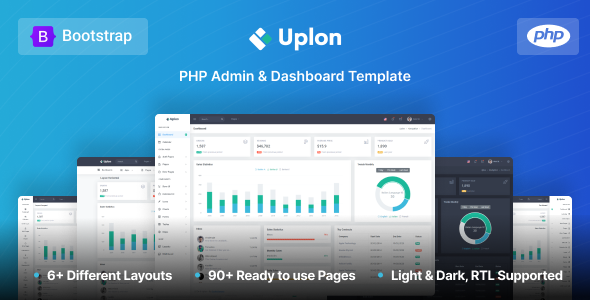
Uplon is a PHP admin dashboard template built on Bootstrap, offering a robust UI kit for custom web applications. It’s packed with components and pages, ideal for agencies building client backends fast.
Uplon: A Solid PHP Admin Dashboard Template for Rapid Development
Alright, let’s talk about Uplon. This isn't some flashy website template; it's a dedicated PHP admin dashboard template. What you're getting here is a comprehensive UI kit designed to speed up the development of back-end interfaces. Think of it as a well-stocked toolbox for building custom web applications, internal tools, or client dashboards without starting every single UI element from scratch.
It solves the common workflow problem of spending too much time styling basic admin components like forms, tables, and charts. When we tested the kit on a demo site, it became clear that the value is in the sheer volume of pre-built, functional UI pieces. This can genuinely save dozens of hours on the front-end development of an admin panel, allowing your team to focus on the core application logic instead.
Who Benefits from Uplon's Bootstrap UI Kit?
This UI kit is primarily for developers and agencies building custom web applications with a PHP backend. If you're frequently tasked with creating admin panels, CRM interfaces, or any internal system that requires a clean, functional dashboard, Uplon is a smart investment.
It’s particularly useful for agencies needing fast turnarounds on client projects where the backend UI needs to be functional and presentable quickly. If you're comfortable working with Bootstrap and SASS, you'll find it easy to adapt.
However, this is not for beginners looking for a drag-and-drop builder, nor is it for projects that demand an extremely unique, highly custom front-end public-facing website. It's an admin template, and it delivers on that specific purpose.
Exploring Uplon's Pre-built Pages and Components
Uplon comes loaded with a ton of ready-to-use content. You get over 250 pages covering everything from dashboards and user interfaces to forms, tables, and various chart types. This extensive collection means you rarely have to build a common admin component from scratch.
The variety of icons and widgets is also notable. Having multiple icon sets included helps prevent the common issue of needing to integrate a new icon library for every minor design tweak. The inclusion of pages like login, register, error, invoice, and even a maintenance page means you have a nearly complete set of essential admin screens out of the box.
- Dashboard layouts: Multiple variations for different data display needs.
- UI elements: Comprehensive collection of buttons, cards, dropdowns, and form elements.
- Chart integrations: A wide array of chart libraries like Flot, Morris, and Chartjs are pre-configured.
- Utility pages: Essential pages like 404, 500, login, and registration are ready to go.
Developer Experience and Code Structure in Uplon
After building multiple agency sites with tools like this, the code quality is often the first thing we check. Uplon is built on Bootstrap, which provides a familiar and well-understood framework. The SASS support is a big plus; it means you're not digging through compiled CSS to make style changes. The SASS architecture allows for easier customization and better maintainability, which translates to lower long-term maintenance costs for clients.
The file organization feels standard for a Bootstrap-based UI kit. You'll find your way around the CSS and JS files without much trouble. The documentation is also helpful, which is crucial when you're trying to integrate a new template into an existing PHP application or build a new one. The inclusion of Gulp support indicates a focus on modern development workflows, allowing for efficient asset compilation and optimization.
One small detail that often gets overlooked in other templates is how the mobile menu behaves. In Uplon, it’s responsive and functional, adapting well across different device sizes, ensuring a good mobile experience for anyone managing the backend on the go.
Technical Foundations for Search Engine Optimization
While an admin dashboard isn't typically optimized for public-facing SEO, the underlying code structure still matters for overall site health and maintainability. Uplon's reliance on Bootstrap generally means a clean semantic structure, which is a good foundation. The code doesn't appear overly bloated, which helps with initial page load times.
For any public-facing sections you might integrate, a clean HTML structure supports better crawling and indexing. The asset loading feels efficient, and with proper server configuration, you shouldn't run into significant Core Web Vitals issues from the template itself. This means faster load times, which is a practical benefit for anyone using the admin panel regularly.
Is Uplon the Right Admin Template for Your Project?
Uplon is a practical, no-nonsense PHP admin dashboard template that delivers exactly what it promises: a comprehensive set of UI components and pages to kickstart your custom backend development. It’s not trying to reinvent the wheel, and that’s a good thing. The strength here is in its completeness and adherence to established frameworks like Bootstrap.
You get extreme flexibility for building various admin interfaces, but at the cost of needing to understand Bootstrap and SASS for deeper customizations. The default aesthetic is clean and functional, if a bit standard, meaning you might want to spend some time on branding and unique styling. For anyone looking to save significant development time on the UI layer of a PHP-based admin panel, Uplon is a solid choice that justifies its investment by accelerating your project timelines.
FAQ
Is Uplon compatible with all PHP frameworks?Uplon is a front-end UI kit and does not dictate your PHP framework. It provides the HTML, CSS, and JavaScript, which you can integrate with any PHP framework like Laravel, Symfony, or CodeIgniter.
How difficult is it to customize Uplon's design?Customizing Uplon requires familiarity with Bootstrap and SASS. The SASS files are well-organized, allowing you to easily change colors, fonts, and component styles by modifying variables.
Does Uplon include any backend logic or database integrations?No, Uplon is purely a front-end UI kit for the admin dashboard. It provides the visual components and pages, but you will need to implement all backend logic, database connections, and API integrations yourself.
Can I use Uplon for multiple projects with a single license?The licensing terms for Themeforest products typically allow use in a single end product. For use in multiple client projects, you would generally need to purchase multiple licenses or an extended license, so always check the specific license details.