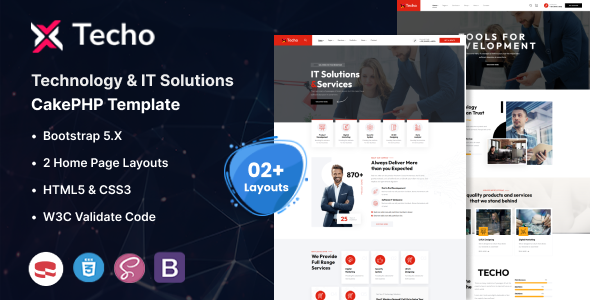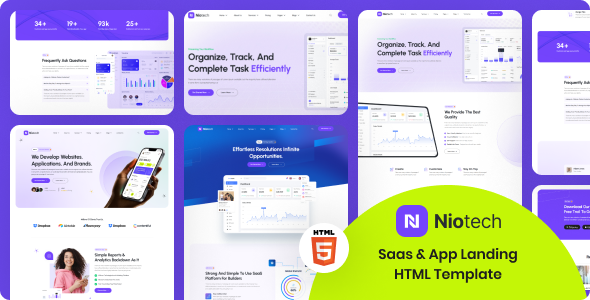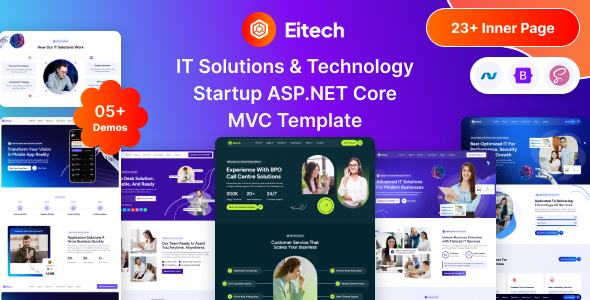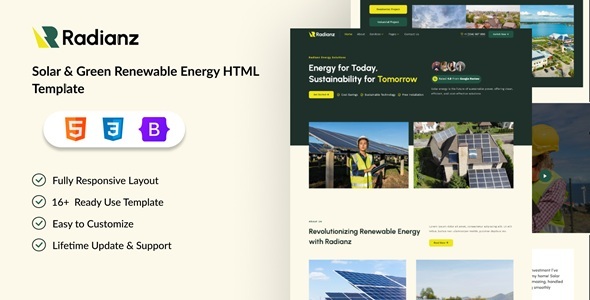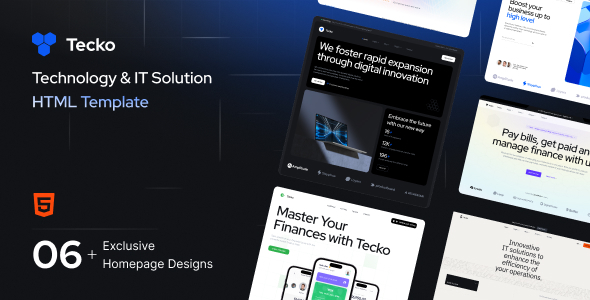
Tecko: an HTML template for IT services and technology companies, featuring 6 homepages and essential UI components. Ideal for agencies and freelancers building static tech sites.
Tecko HTML Template: A Foundation for IT Service Websites
Tecko is a static HTML template specifically built for the IT and technology services sector. It provides a pre-designed frontend framework that saves considerable time compared to building everything from scratch. This template is a solid starting point for anyone needing to quickly launch a visually appealing online presence for an IT company, app development firm, or cybersecurity business.
The core problem it solves is the initial design and frontend coding hurdle for common IT service layouts. Instead of spending days on basic structure, responsive behavior, and component styling, Tecko gives you a ready-made set of pages. This means less time on repetitive tasks and more focus on content and client-specific refinements.
Who Benefits from Tecko's IT Solution Layouts (and Who Doesn't)
This template is genuinely useful for web agencies and freelance developers who handle a volume of clients in the tech industry. If you need to deliver a professional, responsive IT solution HTML template quickly, Tecko provides a strong visual and structural foundation. It's particularly good for projects where the client doesn't require a full content management system (CMS) or complex backend logic, and a static site is sufficient.
However, Tecko is not for everyone. If your project demands deep custom backend functionality, a robust CMS for client content updates, or highly unique interactive elements not covered by standard JavaScript libraries, you'll be building on top of this or looking for a different solution. It's also not ideal for absolute beginners without basic HTML, CSS, and JavaScript knowledge, as customization will require direct code edits.
Exploring Tecko's Core Pages and UI Components
Tecko comes with 6 distinct homepage layouts, which is a decent selection for an IT services website. These cover various visual styles suitable for different tech niches. Beyond the homepages, you'll find standard internal pages like "About Us," "Services," "Team," "Pricing," and "Contact," which are essential for any business site.
The template leverages a Bootstrap framework, which means you get a familiar grid system and a set of common UI components out of the box. This includes things like carousels (Swiper Slider), accordions, tabs, and modals. Using a well-known framework like Bootstrap generally means better long-term maintainability because most developers are familiar with its conventions.
Tecko's Visual Style and Customization Options
The design aesthetic is clean and modern, as expected for an IT template. It utilizes the Inter font, a popular choice for its readability and contemporary feel, loaded via Google Fonts. This approach to font loading is standard and generally performs well, contributing to better Core Web Vitals compared to custom font hosting setups.
When it comes to customization, the template offers "unlimited colors" and options for "boxed or wide layout." In practice, this usually means easily adjustable CSS variables for colors and a simple class toggle for layout width. While not a drag-and-drop builder, these options allow for quick branding adjustments without diving too deep into the stylesheet. The "parallax effect" is a nice touch for visual depth, though it's a common feature in many templates.
Developer Experience and Tecko's Frontend Structure
From a developer's perspective, Tecko is built on HTML5 and CSS3, following standard frontend development practices. The use of Bootstrap provides a predictable structure. The JavaScript functionality relies on jQuery and a collection of well-established plugins like Swiper for sliders and Fancybox for lightboxes. This is a common setup, and while some modern developers might prefer a vanilla JS approach, it’s a stable and widely understood stack.
The file organization is straightforward, making it relatively easy to locate and modify specific sections. After building multiple agency sites with tools like this, a clean file structure is paramount for efficient workflow. The "easy to customize" claim holds true if you're comfortable working directly with HTML and CSS files. The template's focus on semantic HTML structure also helps with basic accessibility and search engine interpretation of your content.
Ensuring Mobile Readiness with Tecko's Responsive Design
Responsiveness is a given for any template today, and Tecko handles it well. It's built to adapt smoothly across various devices, from desktops to tablets and mobile phones. This means your IT services website will look and function correctly for all users, which is crucial for client satisfaction and overall user experience. The mobile navigation, in our experience with similar frameworks, should collapse into a standard hamburger menu, providing a familiar interaction pattern.
Tecko's Semantic Structure for IT Service SEO
While an HTML template itself doesn't guarantee top search rankings, Tecko provides a solid foundation for search engine optimization. Its HTML5 structure means a clean, semantic markup, allowing search engines to better understand the hierarchy and context of your content. This is a fundamental aspect of technical SEO for IT solution HTML templates. The use of standard headings, paragraphs, and lists helps in conveying information clearly to both users and search engine crawlers, setting up your content for better visibility.
Final Thoughts on Tecko for Tech Website Development
Tecko is a practical, no-nonsense HTML template for agencies and freelancers targeting the IT and technology sector. It provides a clean, responsive foundation that can significantly cut down initial development time for static websites. While it doesn't offer the bells and whistles of a full CMS or a drag-and-drop builder, its strength lies in its straightforward structure and standard component set.
If your workflow involves delivering professional, static IT company websites efficiently, investing in Tecko makes sense. It saves you the headache of setting up basic layouts and responsive styling from scratch, allowing you to focus on client-specific content and unique features. It’s a reliable tool for getting a project off the ground quickly and maintaining a consistent quality across your client portfolio.
FAQ
Is Tecko an actual WordPress theme or a full website builder?No, Tecko is a static HTML template. It provides the frontend code (HTML, CSS, JavaScript) for a website, but it does not include a content management system like WordPress or a visual page builder.
How difficult is it to customize Tecko's design and content?Customizing Tecko requires basic knowledge of HTML, CSS, and JavaScript. You will edit the code directly to change content, colors, layouts, and add new features. It's not a point-and-click solution.
Does Tecko include any backend functionality, like user accounts or databases?No, as a static HTML template, Tecko does not come with any backend functionality. If your project requires user accounts, databases, or server-side processing, you would need to integrate a separate backend system.
Can I use Tecko for multiple client projects?Yes, typically, purchasing a template license allows you to use it for multiple client projects, but always double-check the specific licensing terms on the marketplace where you acquire it.