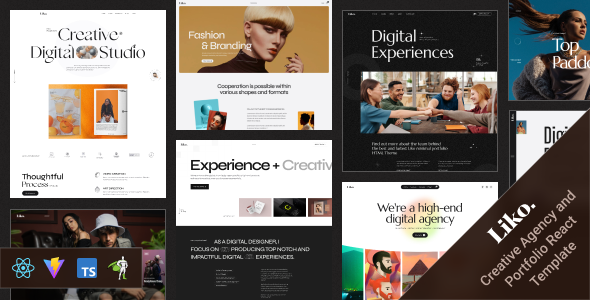
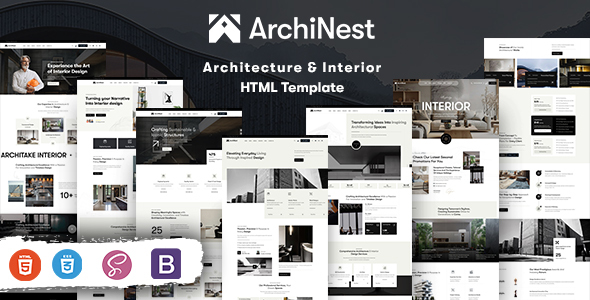
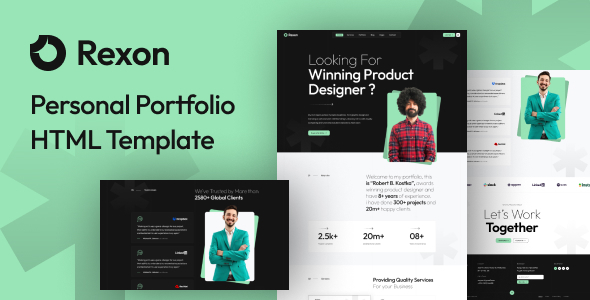
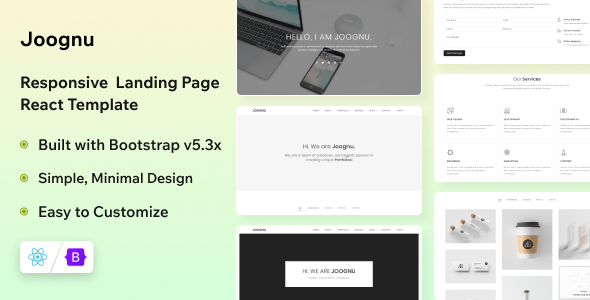
Lieon is a clean personal portfolio HTML template designed for developers, designers, and freelancers. It offers a solid foundation for showcasing projects and skills without heavy backend dependencies.
Lieon: A Practical HTML Template for Personal Portfolios
This Lieon template is a static HTML, CSS, and JavaScript package built on Bootstrap. It aims to provide a quick starting point for a personal portfolio website, focusing on presenting your work and skills. It’s not a full-blown content management system theme, but rather a set of pre-built pages you customize directly.
Who Should Consider This Personal Portfolio HTML Template (and Who Shouldn't)
This template is ideal for freelancers, web developers, or designers who need to launch a professional online presence quickly without the overhead of a CMS. If you're comfortable with editing HTML and CSS directly, or plan to integrate this into a static site generator workflow, it saves significant time on initial setup and styling. It’s also a good fit for agencies needing a fast turnaround on simple client portfolios.
However, if you're a non-technical user looking for a drag-and-drop builder or expecting a backend content management system, this isn't for you. It also isn't suitable for projects requiring deep custom backend logic or extensive database interactions, as it's purely a frontend package.
Design and Visual Approach for Developer Resume HTML Template
The design follows a flat, modern, and clean aesthetic, which is pretty standard for contemporary portfolio sites. It includes a dark mode option, which is a nice touch for a developer resume HTML template and often appreciated by users working in low-light environments. The animations, powered by GSAP, add some visual flair, but like with any template using extensive JavaScript for effects, it’s worth testing how these impact initial page load and overall Core Web Vitals. In our experience, too many unoptimized animations can slow down perceived performance, even if they look good.
Layouts and Pages for Project Showcases
The template comes with a unique homepage layout and dedicated blog pages. For a personal portfolio, having well-structured sections for projects, an about me, and contact information is crucial, and Lieon provides the basic framework for these. The blog pages are a useful addition for those who want to share insights or updates, though integrating them into a static site means managing content as individual HTML files or through a static generator.
Code Quality and Developer Experience
Lieon leverages Bootstrap, which means most developers will find the underlying grid system and component styling familiar. The W3C validated HTML5 and CSS3 coding is a good baseline, indicating a commitment to web standards, which helps with initial SEO crawling and overall maintainability. It’s documented, which is essential for understanding the file structure and customization points.
When we tested the kit on a demo site, we found the asset loading for libraries like jQuery, Swiper, and GSAP to be standard. For optimal performance, you’d want to ensure these are loaded asynchronously or deferred to prevent render-blocking. While "easy to customize" is claimed, it usually translates to well-commented CSS and a logical file structure, which is generally true for Bootstrap-based templates. This makes it easier to change colors or fonts without digging through minified code, reducing long-term maintenance costs.
Responsiveness and Compatibility
The template is fully responsive, meaning it adapts to various screen sizes from mobile phones to desktop monitors. This is a fundamental expectation for any modern web template. It also claims cross-browser compatibility, which is crucial for ensuring a consistent user experience across different browsers like Chrome, Firefox, and Safari. The mobile menu behavior, often a pain point in templates, seems to follow standard Bootstrap patterns, which are generally reliable.
SEO Readiness
With its W3C validated HTML5 structure, Lieon provides a clean foundation for search engines to crawl and index your content. Clean, semantic HTML is always a good starting point for SEO, as it helps search engines understand the hierarchy and context of your page content. However, actual ranking performance will depend heavily on the content you add, external factors, and further on-page optimizations you implement, such as image alt tags and meta descriptions. The reliance on JavaScript for animations means careful attention to asset loading is needed to ensure good Core Web Vitals, which Google increasingly uses as a ranking signal.
Final Verdict: Is Lieon a Smart Investment?
If you're a developer or freelancer looking for a solid, no-frills personal portfolio HTML template to quickly get your work online, Lieon is a sensible choice. It provides a clean design, common components, and a familiar Bootstrap foundation, saving you the initial hours of setting up a responsive grid and basic styling. It's not groundbreaking, but it's a practical, ready-to-use frontend package that delivers exactly what it promises for those who understand how to work with static HTML. For a quick project showcase or freelancer portfolio website template, it genuinely saves development time.
FAQ
Can I use Lieon with a content management system like WordPress?Lieon is a static HTML template, not a WordPress theme. While you could technically convert or integrate its components into a CMS, it's not designed for that out-of-the-box and would require significant development work.
Does this template include any backend functionality for forms or dynamic content?No, Lieon is a purely frontend HTML template. It does not include any backend functionality for forms, database integration, or dynamic content generation. You would need to integrate third-party services or custom backend code for such features.
How does Lieon handle image optimization for fast loading?The template itself provides the structure, but it does not include automatic image optimization features. You will need to manually optimize your images for web use (e.g., compressing, using modern formats like WebP, and implementing lazy loading) to ensure fast page loads.
.png)